
Why Attend is the section that sells your event: an eyebrow, a headline, your pitch, and an optional image beside it. It is optional, and you can hide it or style it from Layout & Paging.
Writing the pitch
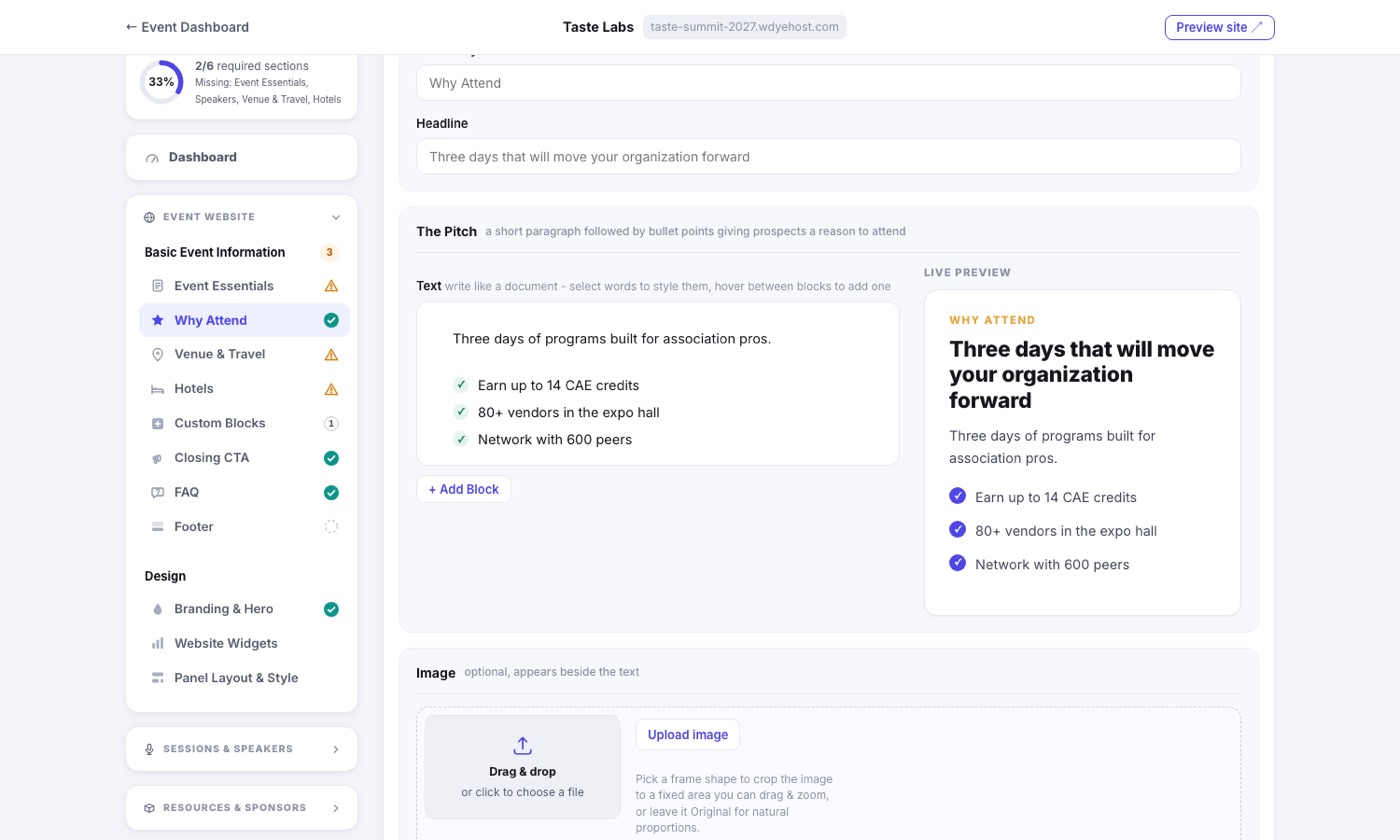
The pitch is a small document rather than a plain box. Write paragraphs and headings straight into it, and hover between two blocks to reveal + Add Block, which drops a paragraph, heading, checklist, or numbered list exactly where you are pointing. Drag any block by its grip to reorder.
Styling words
Select any words and a small toolbar floats up beside them with bold, italic, underline, and link. The link button turns into an address box with a Web and Email mode, so you can link to a page or start an email to an address.
Bullets are checkmarks
A bulleted list renders as your brand's green checkmarks, the same look used across the site, which is what the old separate highlights box used to produce. Use a checklist for benefits and reasons, and a numbered list when order matters.
The live preview
The panel beside the editor shows the section exactly as your site will render it: your fonts, your secondary color on the eyebrow, your brand color on the checkmarks. It repaints as you type, so there are no surprises after you save. One Text spacing picker controls how tightly everything stacks.