
The Portal Invitation Center hands the typing to the people who know the answers. Send a speaker one link and they fill in their own name, photo, bio and session details. Nothing reaches your site until you approve it.
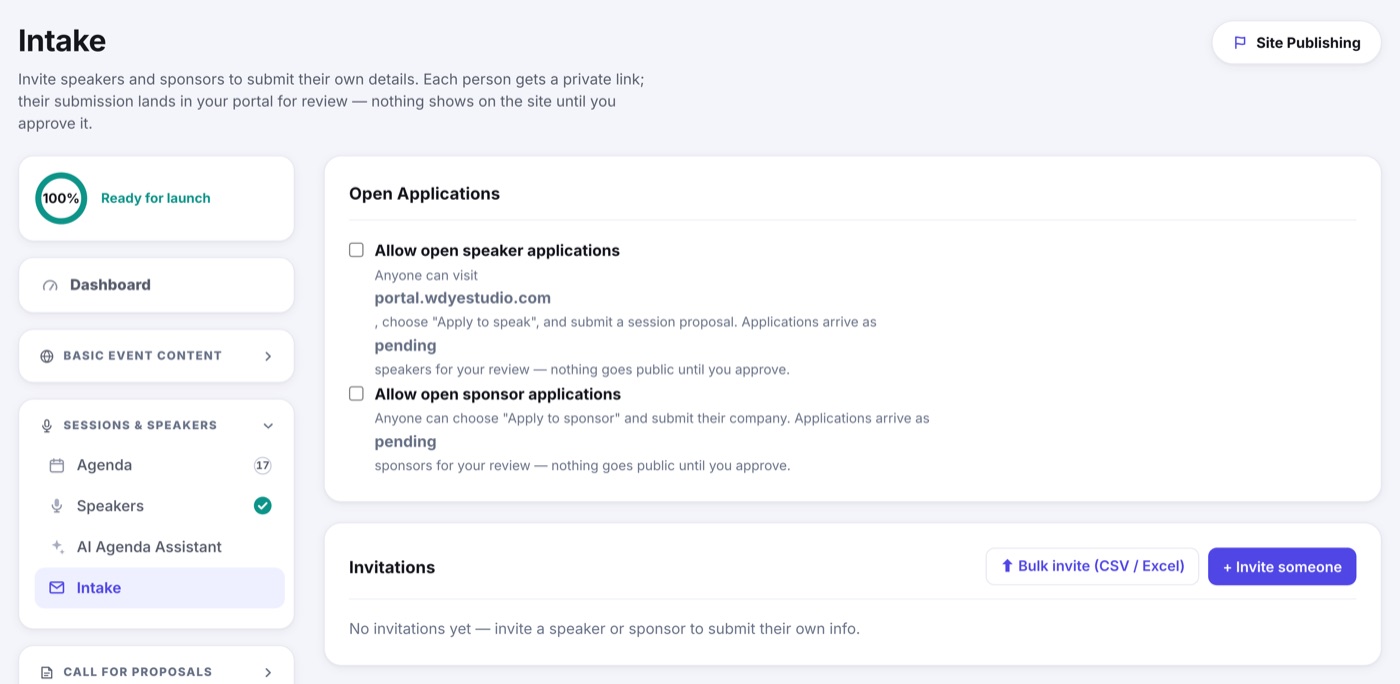
- Open Portals › Portal Invitation Center.
- + Invite someone for one person, or Bulk invite to hand it a CSV or Excel list.
- Each person gets an email with a private link. No password, nothing to install.
- They fill in their details and submit. The application waits on Portals › Portal Applications for you to review and approve.
- Approved details flow straight into your Speakers section.
Or let people come to you
The Allow open speaker applications switch on Portals › Portal Applications lets anyone apply to speak without an invitation. Open and invited applications land on that same page, and nothing goes public until you approve it. See Reviewing Speaker Applications.
After they are approved
A speaker can come back to the same link later. What they may still change is set by the Speaker Self-Service Editing card on Portal Applications, so a headshot swap in September does not become a whole new approval.
Registering Your Speakers
If your Speaker registrant type is Speakers Only, each approved speaker sees a Register for button in the Speaker Portal that opens the form already unlocked for them. See Speakers Only Registration.