
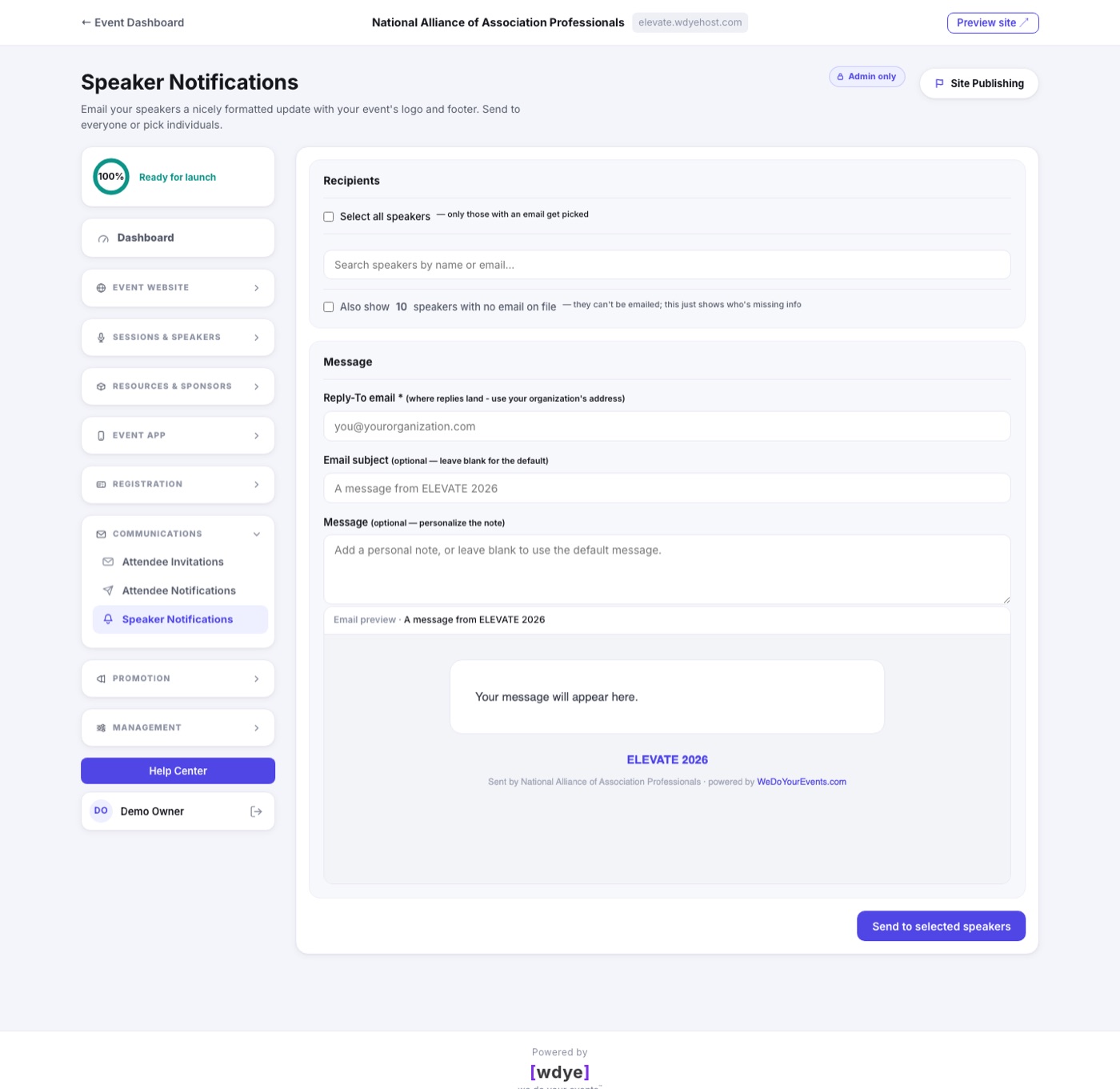
Portals › Speaker Messaging emails your speakers a nicely formatted update carrying your event's logo and footer. Use it for schedule changes, AV instructions, a pre-event welcome, or a reminder to register.
How It Works
- Tick the speakers to include, or select all. Only speakers with an email address can be picked; a toggle shows you who is missing one.
- Write the subject and message, and set the required Reply-To so speaker questions come back to your team.
- The live preview underneath shows the exact email, branding and all, before you send.
Only Approved Speakers
A speaker you have not approved yet wears a Needs Approval tag beside their name, and a declined one a Declined tag, the same as on the Speakers page. When any speaker is not approved, filters appear above the list: All, Approved, Needs Approval and Declined, each with a count.
- Choose Approved and only approved speakers are shown. Anyone the filter hides is also unticked, so Select all never reaches an applicant you cannot see.
- If you do tick someone who is not approved, a line under the list says how many before you send. Sometimes writing to applicants is exactly what you want, so nothing stops you.
Insert a Variable
Under the message, the Insert a variable chips drop a placeholder, like {{first_name}}, into the subject or message, wherever you were last typing. Each speaker gets their own values, and the preview shows a sample speaker.
- First name and Full name: the speaker's own.
- Event name, Event dates, Venue and Organizer.
- Site link: your event site's address.
- Speaker Portal link: where speakers sign in to edit their details and find their registration link.
Web addresses you type in the message become clickable links in the email.