
Attendee Invitations sends branded invitation emails with a Register Now button. When the registrant type needs a code, one rides along automatically - a different single-use code per invitee, or one shared passcode - so people register straight from the email.
Before you start
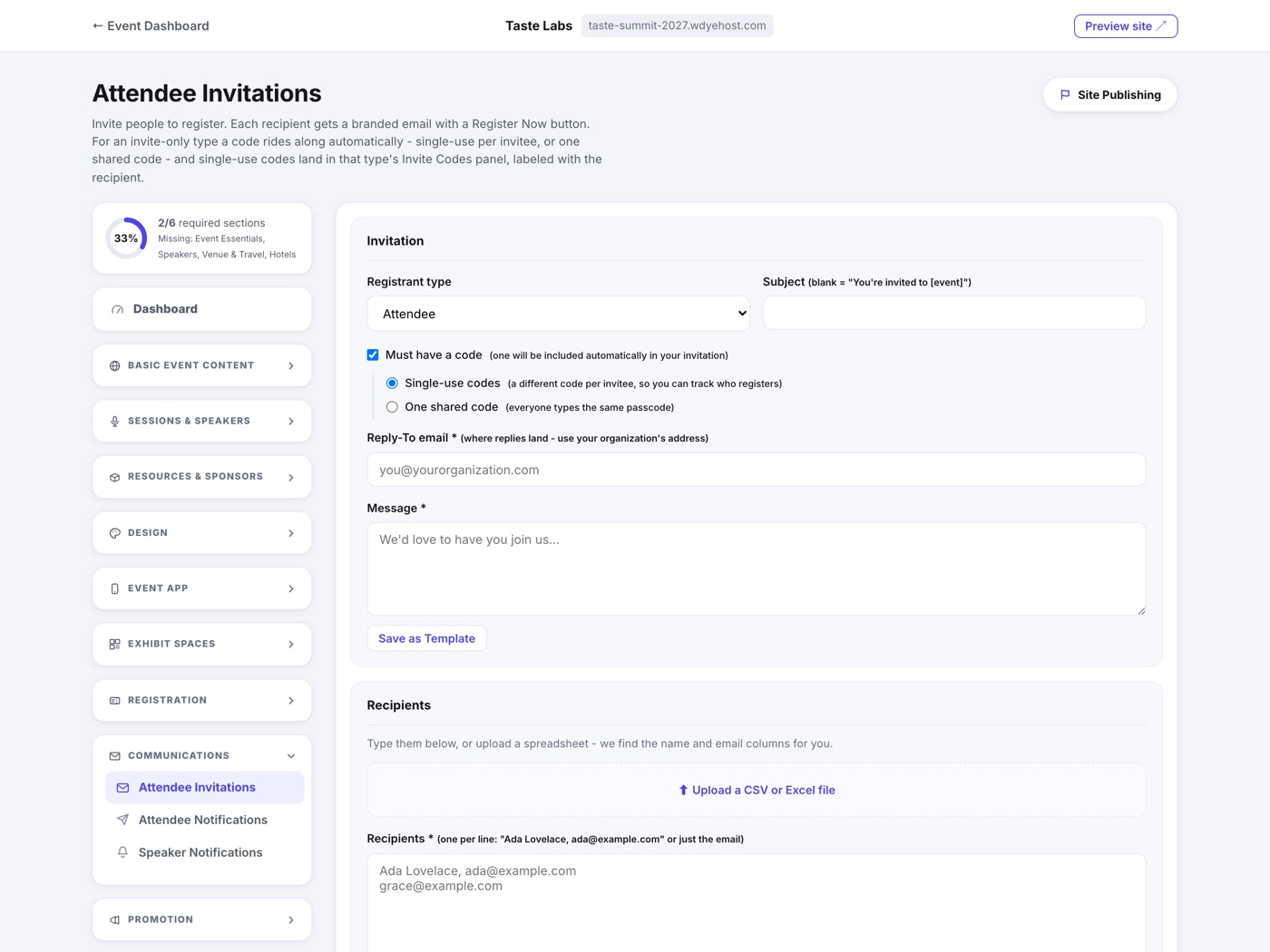
You can invite people to any registrant type. If the type is already a Guest (invite-only), its code is included automatically - single-use per invitee, or the type's shared passcode. If the type isn't invite-only yet, tick Must have a code (one will be included automatically in your invitation) and choose single-use or shared: sending flips the type to Guest and mints the codes for you, so you never have to set it up first. Single-use codes land in that type's Invite Codes panel, labeled with the recipient.
Adding recipients
- Type them in, one per line: Ada Lovelace, ada@example.com or just the email address.
- Or upload a spreadsheet (CSV or Excel). We find the name and email columns for you, join First and Last name columns, skip rows without a usable email, and fold duplicates automatically.
The Reply-To address
Every invitation requires a Reply-To email: the address replies land at when someone answers your invitation. It must be your organization's own address, so questions reach your team, never ours.
Templates and history
Save any message as a template and reuse it across every event in your organization. Recent Invitation Sends at the bottom shows each batch with how many were delivered.