
Registration › Email Templates holds the wording of the three emails a registration sends: the confirmation when it completes, the modification when someone adds to it, and the cancellation. The live preview beside the editor is the real email, rendered over a sample order.
Templates Per Registrant Type
- A template is named, belongs to one of the three emails, and is sent to the registrant types you tick, or to All.
- A type gets the template that names it, otherwise the All template, otherwise the standard wording.
- A type can only be sent one template of each kind, so a type another template already holds is listed but cannot be ticked.
- An empty box keeps the standard wording it shows as a placeholder, and variables like {{first_name}} drop into whichever box you were typing in.
The Portal Access Block
When a registration grants a portal (a Sponsorship item, a booth, or a Speakers Only registrant type), the confirmation carries a Portal Access block right under your message: the Sponsor & Exhibitor Portal link with the sponsor level, the booth numbers and the crew's worker pass code, and, for a Speakers Only registrant type, where and how to sign in. The block is never optional, because a portal nobody can reach is no use. Its heading and lead sentence are yours to reword, per template.
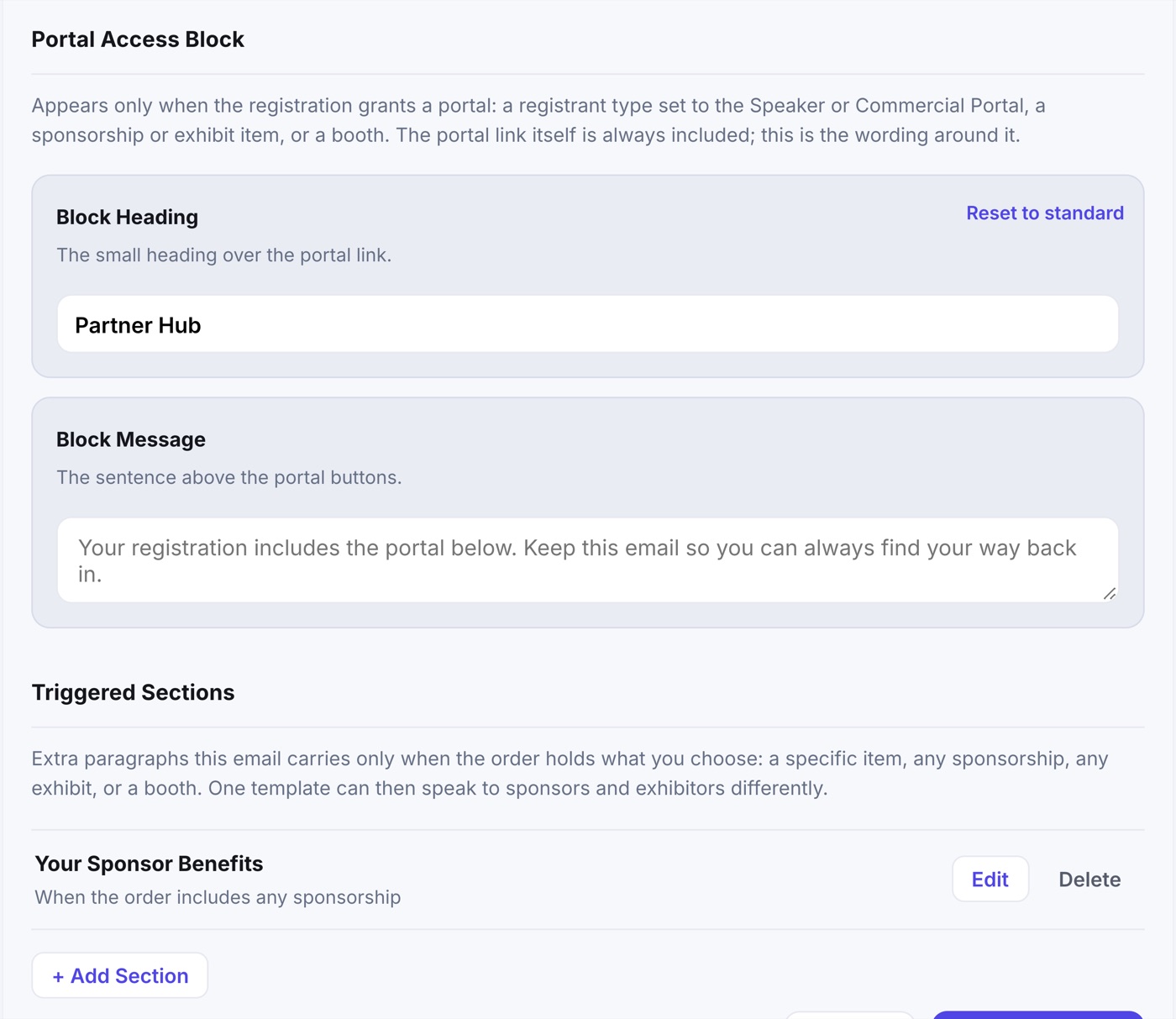
- A modification email shows the block only for a portal the change newly grants.
- A cancellation never carries it: the link is off by then.
- The Portal link variable, {{portal_url}}, puts the same link inside your own message too.
Triggered Sections
Extra paragraphs a template carries only when the order holds what you choose. One shared Sponsors & Exhibitors registrant type can then say one thing to a sponsor and another to an exhibitor.
- Save the template first, then open it again.
- Under Triggered Sections, click + Add Section.
- Choose when it appears: Specific Items (any one of the items you tick), Any Sponsorship, Any Exhibit or Any Booth.
- Write a heading and the text. Variables work here too.
- Save the section. It is live on the next email that meets its trigger.
Any Sponsorship means the registration holds a Sponsorship item; Any Exhibit and Any Booth mean it bought a booth. A confirmation looks at the whole registration; a modification looks only at what the change added.
Preview As
The Preview As menu over the preview changes who the sample order belongs to: an attendee, a sponsor, an exhibitor, a speaker, or Every Section at once. It shows the Portal Access block and the sections that person would get, with a sample link. Nothing is created or sent.