
Attendee Notifications emails the people who have already registered: everyone, or a precise slice of them. One email per person, duplicates folded automatically.
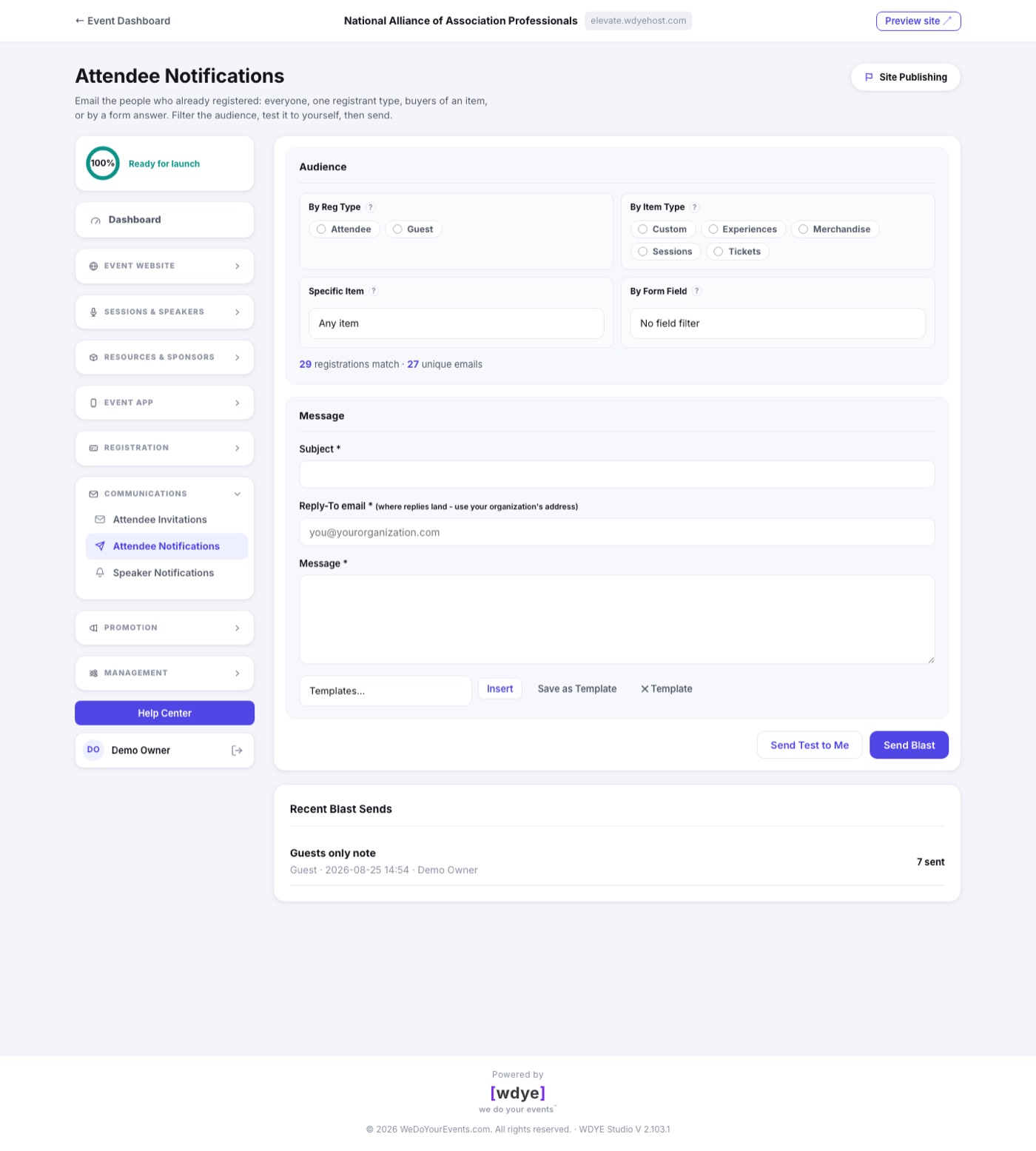
Choosing the audience
- By Reg Type picks one or more registrant types. Leave them all off to include everyone.
- By Item Type narrows to people whose registration includes a kind of item, like Sessions or Merchandise.
- Specific Item narrows to buyers of one exact item or session, ideal for a room-change notice.
- By Form Field matches on what people answered, like everyone who said yes to the gala dinner.
The counter under the filters shows live how many registrations match and how many unique email addresses that is, so you always know who you are about to email.
Sending safely
- Write the subject and message, and set the required Reply-To: your organization's own address, where replies will land.
- Click Send Test to Me to get the exact email in your own inbox first.
- Click Send Blast. The confirmation names the audience and the count before anything goes out.