
Every button on your event site is set the same way, wherever it lives. You give it a label and choose Where It Goes: somewhere on your own site, or any outside web address.
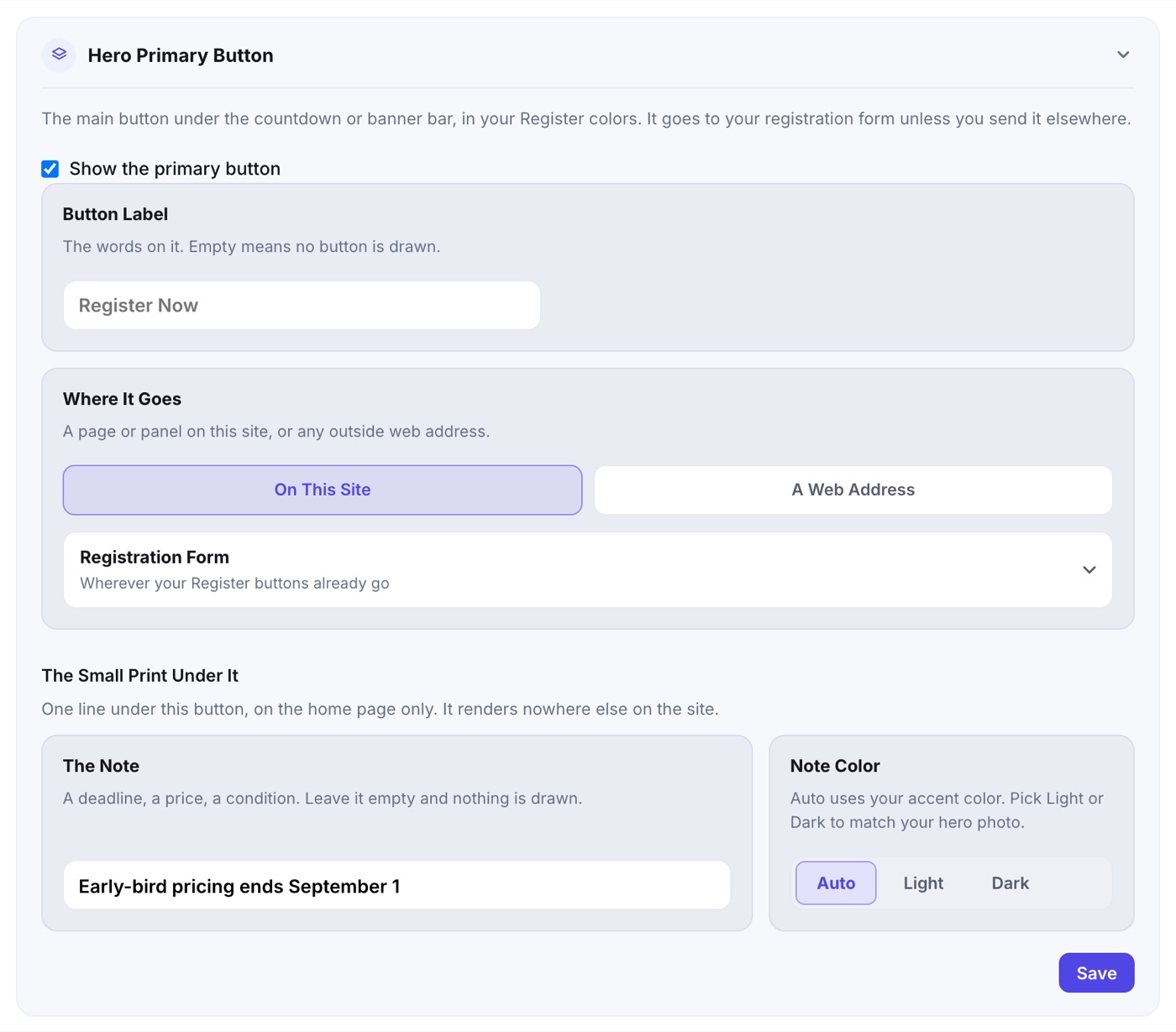
Where Each Button Is Set
- Hero buttons: Event Website › Branding & Hero, in the Hero Primary Button and Hero Secondary Button groups.
- The Register button in the top navigation: Event Website › Layout & Paging, in the Header block.
- The Closing CTA button: Closing CTA Panel, under Band Button.
- A Custom Panel's button: inside the panel's editor, under Panel Button, which also picks Left, Center or Right.
Setting One
- Tick the Show switch for that button.
- Type the Button Label. An empty label means no button.
- Under Where It Goes, choose On This Site and pick from the menu, or A Web Address and paste a full address starting with https://.
- Registration Form is first in the menu. It goes wherever your Register buttons go: your built-in form, or the outside address you chose on the Activation page.
- Then your Pages (when the site has more than one) and your visible Panels, by the names you gave them.
- An outside address opens in a new tab.
- If the panel a button points at is later hidden, deleted or empty, the button falls back to the registration form rather than going nowhere.
The Small Print Under the Hero Button
Under the primary hero button, The Note adds one line on the home page only (a deadline, a price, a condition), in the Note Color you pick: Auto (your accent color), Light or Dark.