
Registration › Activation decides whether registration is taking sign-ups and how people register, and gives you safe ways to try the form yourself.
Registration Status
The switch reads Test or Live. On Test, visitors see a friendly closed page instead of the form and only your own rehearsal link works. On Live, the public form is taking sign-ups.
Live on its own is not enough: registration also has to be inside its dates. Under the switch, the Default window sets when registration opens and closes for every registrant type.
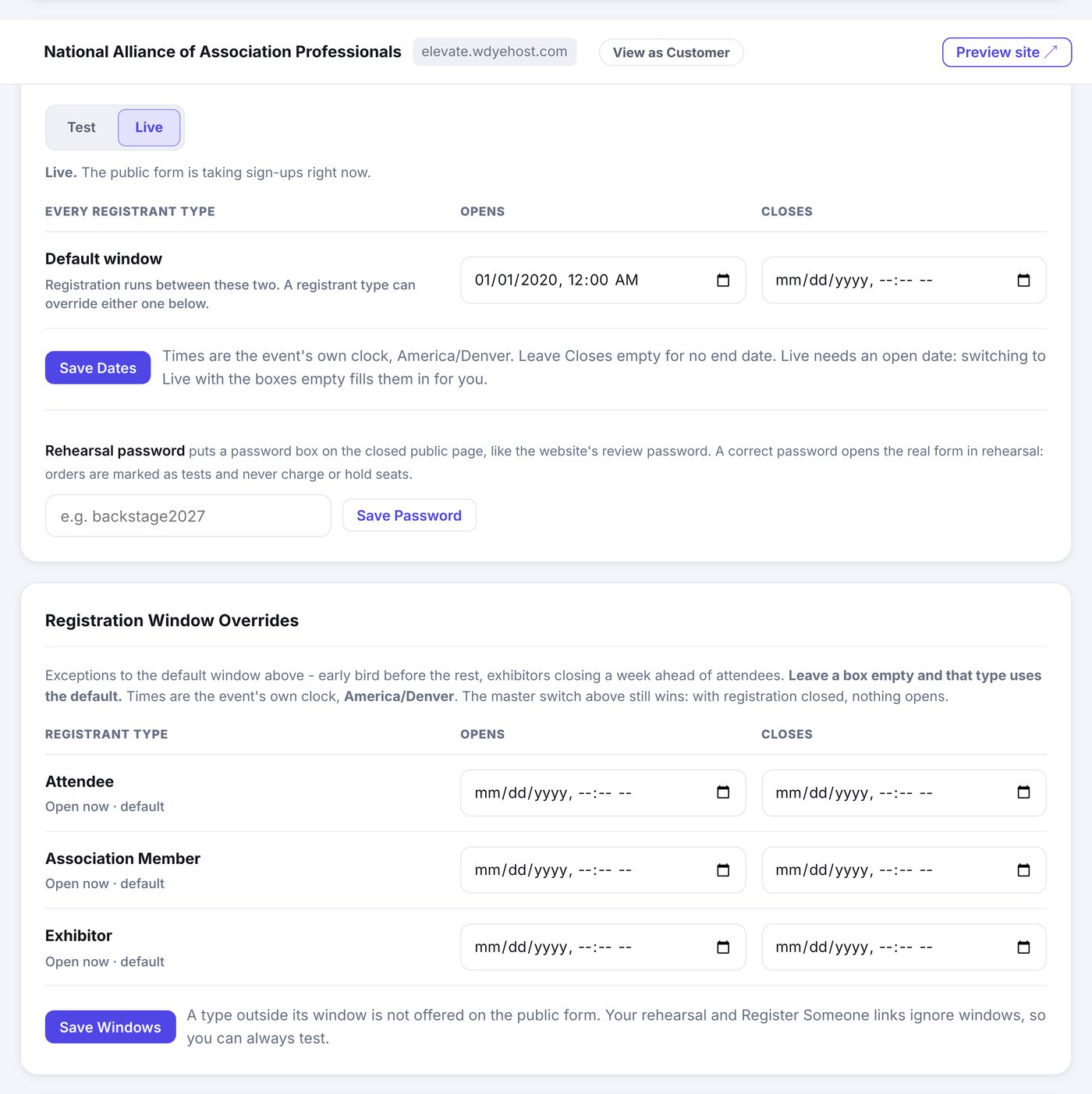
- Leave Closes empty for no end date.
- Times are your event's own clock, named right there so there is no guessing.
- Switching to Live with the boxes empty fills them in for you: it opens now, and closes a week before your event starts. Change either one and your dates stick.
- A close date you deliberately cleared means "no end" and is never refilled.
Registration Window Overrides
Underneath, each registrant type gets its own pair of boxes, and they are exceptions rather than a second full window. Fill in one box and that type overrides the default for that date only; leave a box empty and it uses the event's. So "early bird opens sooner but closes with everyone else" is one box, not four.
Each type's row says what it is doing right now: open, opening on a date, closed, or using the default. A type outside its window is simply not offered on the public form.
The rehearsal password
Set a rehearsal password and the closed page grows a password box, just like the website's review password. Anyone you give the password to can open the real form in rehearsal: their orders are marked as tests, never charge a card, and never hold seats. Perfect for letting a colleague click through the whole thing before launch.
Try the Form
- View Live Form opens exactly what the public sees right now.
- Test the Form is your private rehearsal link: the whole form end to end, even while registration is closed, with orders marked as tests.
- Clear Test Registrations deletes every test order in one click. Real registrations are untouched.
How People Register
The Registration panel chooses Built-In Registration (the form you build here) or a Custom URL for an outside registration system. Every button on your site set to Registration Form opens whatever you pick here.