
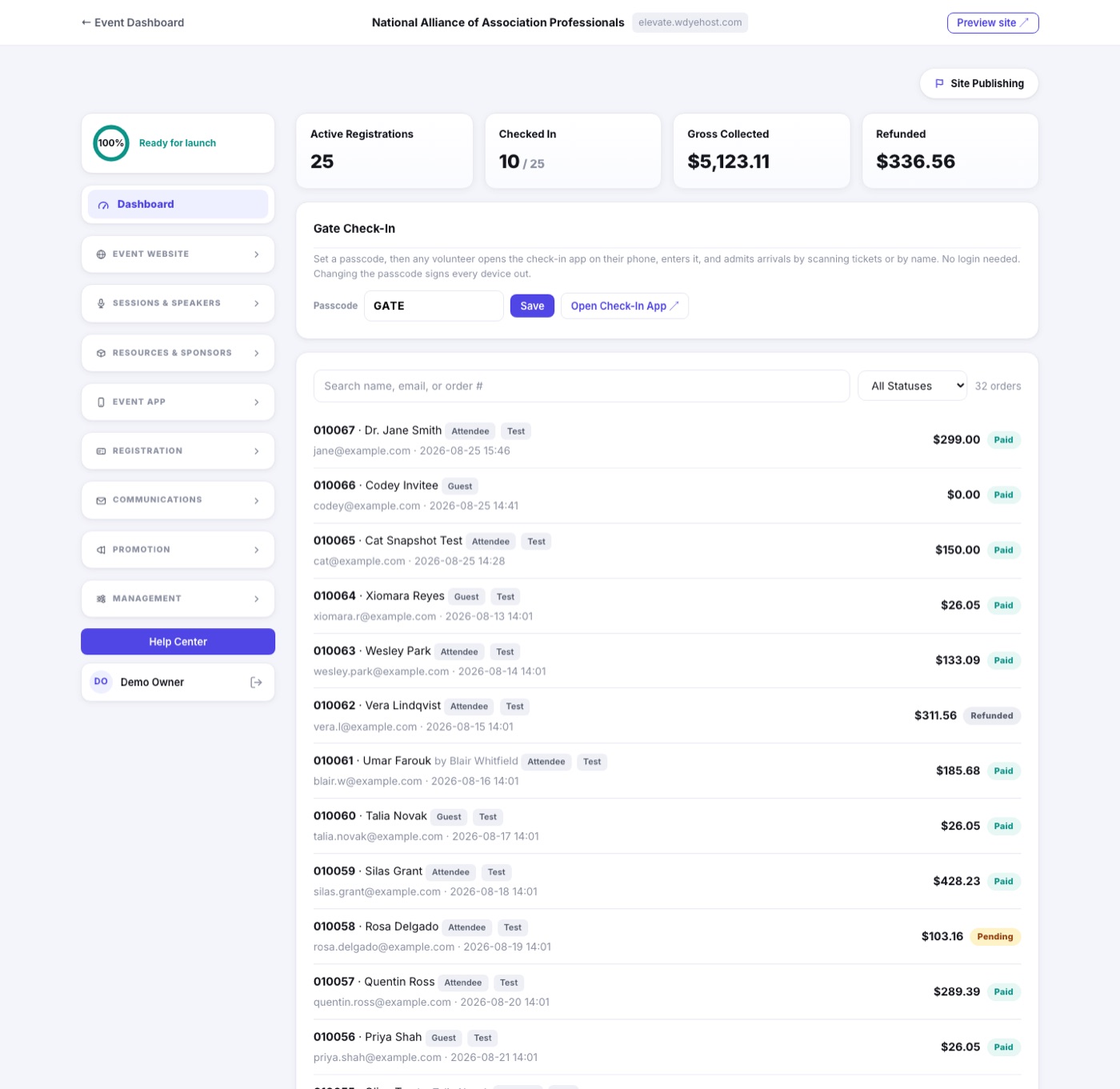
The Dashboard is where registration lands. Every order is here the moment it is placed, with the counts across the top and the tools you use on the day beside them.
The tiles
- Attendees and Guests count live registrations, split so a guest never inflates your paid headcount. Show registrations by type breaks the same number out type by type.
- Checked In climbs as your door team admits people.
- Gross Collected is what has actually been taken, and Refunded what has gone back out.
- Test registrations are excluded from all of it.
The order list
- Search by name, email or order number, and filter by registrant type or status.
- Click any row to open the registration record: what they bought, what they answered, their badge, their lodging, and the activity log.
- From the record you can resend a receipt, edit answers, add or remove items, refund, or cancel.
- Register Someone puts a registration in yourself, for a phone call or a walk-up. Import Registrants brings in a whole spreadsheet at once.
Also on the Dashboard
- The Checked In tile counts arrivals at the door, and links to Day Of › Gate Check-In, where the passcode, the Volunteer QR and the Check-In Desk now live.
- Assign Sessions, above the list, puts registrants into sessions yourself. See Assigning Sessions and Session Groups.
- Abandoned Registrations, below the list, names the people who started and stopped. See Registrations Left Unfinished.