
Moving an event from another system, or holding a list of people who signed up before registration opened? Import Registrants on the Dashboard turns a spreadsheet into real registrations: they get a record, a ticket, a badge and a place on the check-in roster, exactly like anyone who registered themselves.
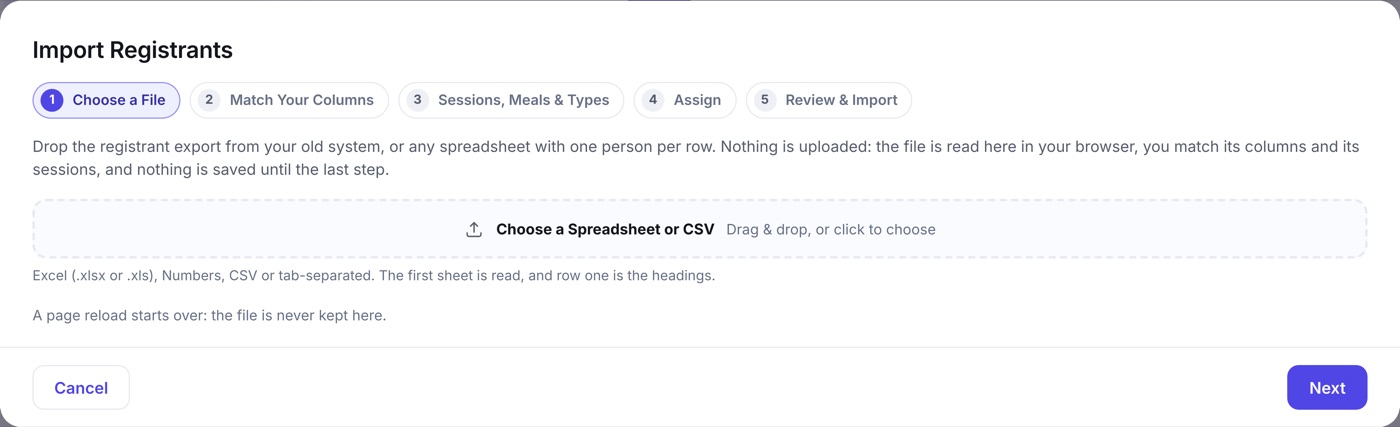
The five steps
- File. Drop a .csv, .xlsx or .numbers file, or pick a sheet from it. The first row is read as your column headings.
- Columns. Every column is matched to a field for you: name, email, phone, company, registrant type, and any question on your form. Change anything that guessed wrong, or set a column to Skip.
- Sessions and items. Columns that look like sessions or meals are matched to what your agenda and item library already hold, and anything with no match can be created on the fly.
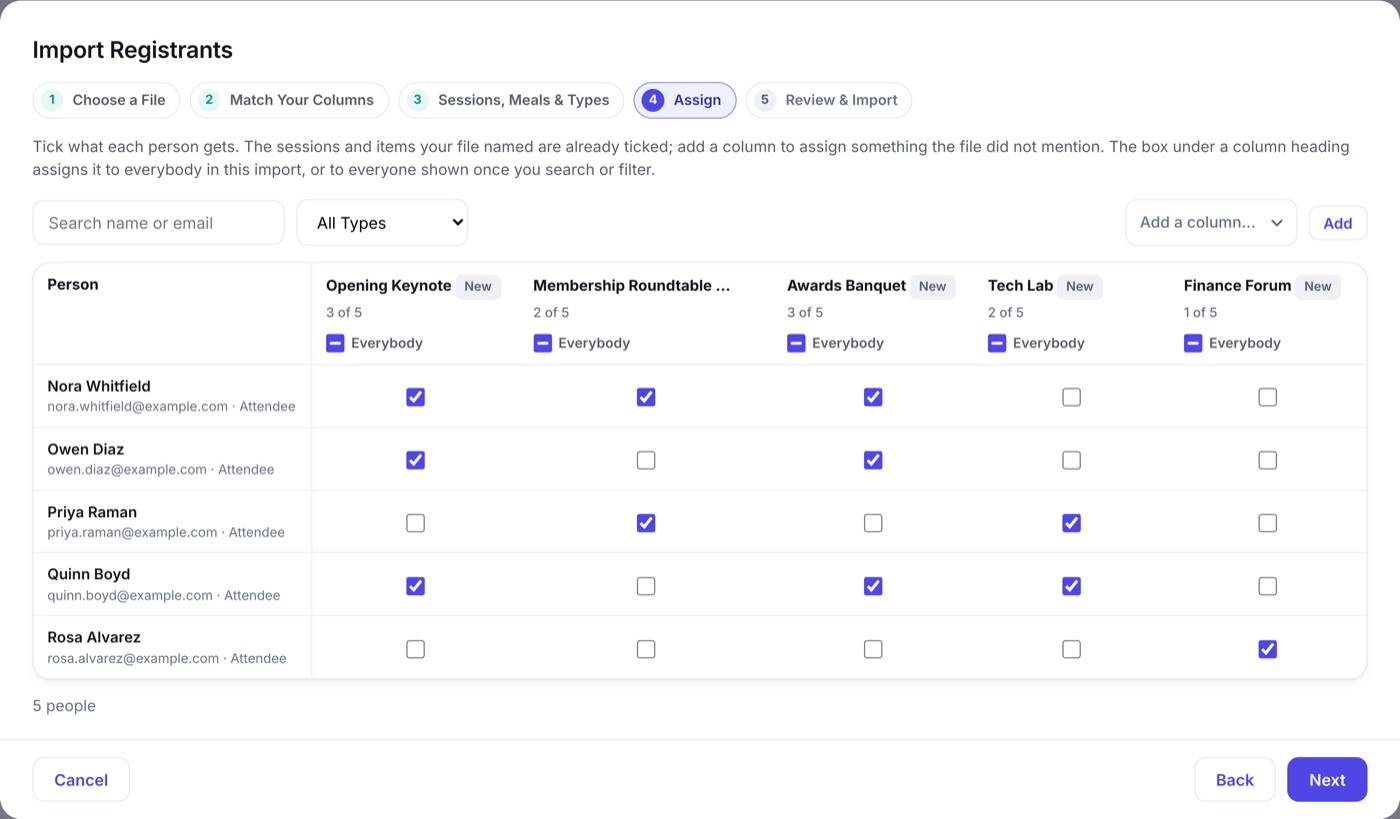
- Assign. A grid of people down the side and sessions or items across the top, pre-ticked from the file. Tick a whole column, a whole row, or one cell. The seat meter warns you before an import over-books anything with a capacity.
- Import. The batch is written, and every person imported carries an Imported chip on their record.
What import does not do
- Money never imports. These people were paid somewhere else, so Gross Collected keeps telling the truth about what came in here. Amount, fee and transaction columns can be kept as internal notes instead.
- Nothing is emailed. Importing is silent. Send them a welcome yourself from Attendee Notifications when you are ready.
- It is reversible. Every batch can be undone, which removes those registrations and any session it created for them and nobody else holds.