
Booths are sold by registrant type. Seats are sold by item. A table map names the item it belongs to, and only a registrant who picks that item is ever shown the map.
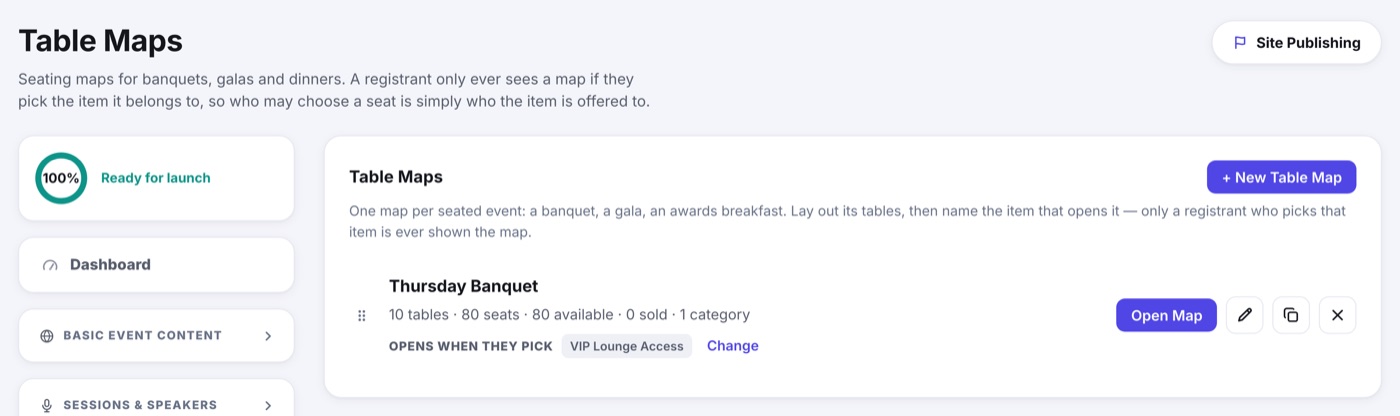
- Create the item people buy in the Item Library: Thursday Banquet, Awards Dinner, VIP Lounge Access.
- Offer that item to the registrant types who may attend, at whatever price each type pays.
- On the table map, set Opens when they pick to that item.
- Anyone who adds the item to their registration gets a seat picker before checkout. Anyone who does not never sees the room.
This answers "who may take a seat" without a second control: whoever the item is offered to. Change who the item is offered to and the seating audience changes with it.
On the day
- A seat is claimed at checkout, so two people cannot land on the same chair.
- Buy more than one seat and the extra seats are the registrant's guests: named at checkout, or later from the Add Seated Guest Names button in the confirmation email. See Seated Guests.
- You can assign a seat to a registrant or one of their guests yourself, or move somebody, without charging anything.
- Seating maps stay off the public website. They exist inside registration, where a seat belongs to a person.