
Every seat on a table map belongs to a person. When a registrant buys one seat, it carries their name. When they buy several, say a couple, or a company taking a table of eight, every extra seat is one of their guests, and each guest can have a name of their own.
Naming Guests at Checkout
Pick two or more seats on the Choose Your Seats step and a Who's Sitting Where list appears under the map, one line per seat. The registrant's name fills the first seat they picked. Every other seat takes a guest's name, and every one of them is optional.
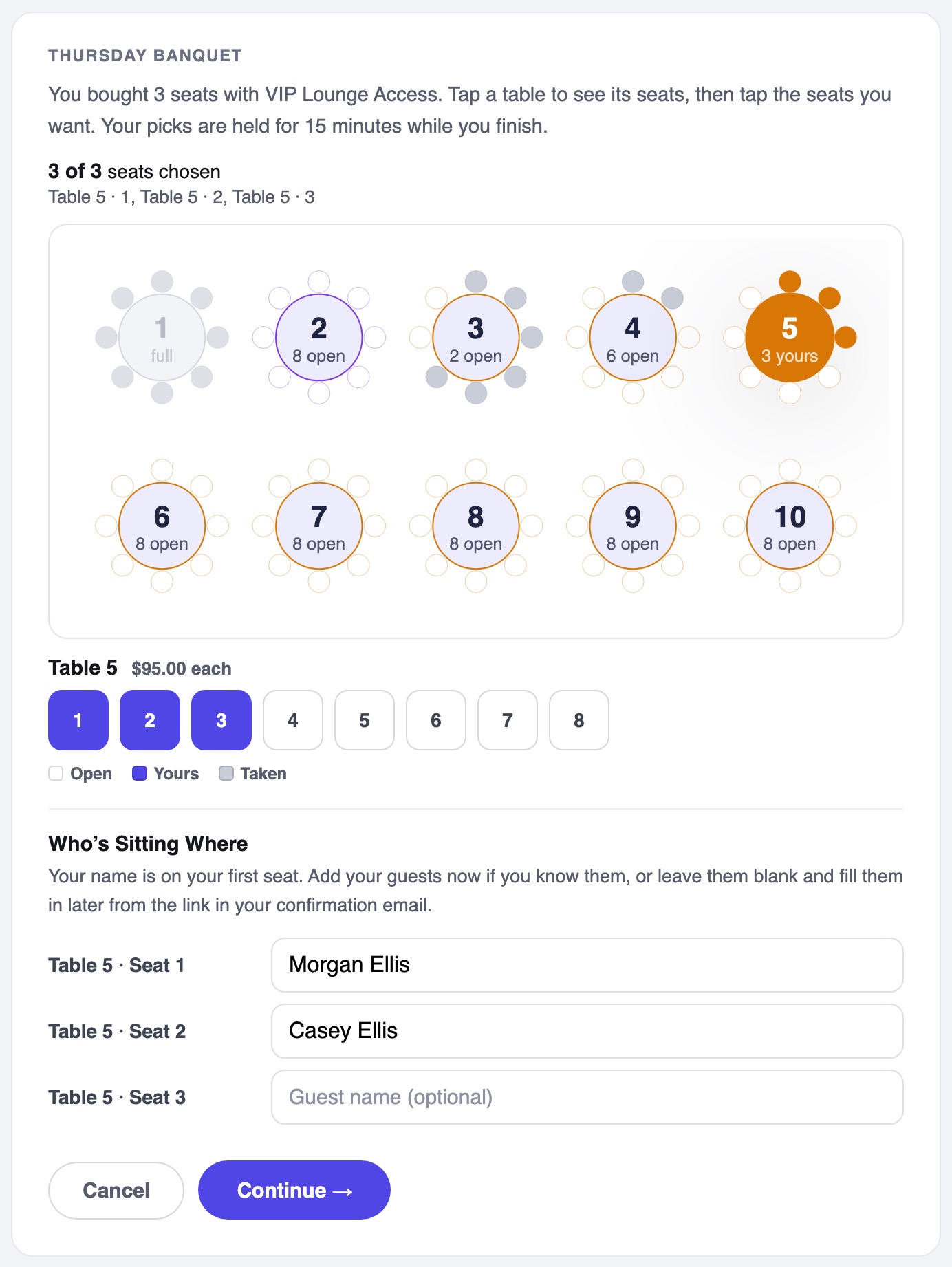
- Leave a seat blank and it shows as Guest 1, Guest 2 and so on until somebody names it.
- The registrant can change their own seat's name too, if they are buying for someone else to sit in it.
- Nothing about the price or the seats changes with the names. They are only who sits where.
The Guest Names Link
Most people do not know every name on the day they buy a table. So when a registration holds two or more seats, its confirmation email carries a Seated Guests card that counts how many seats are named, with an Add Seated Guest Names button.
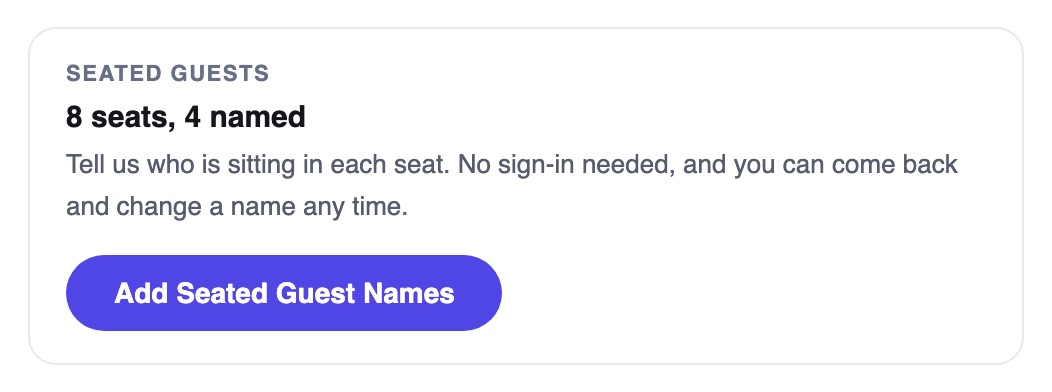
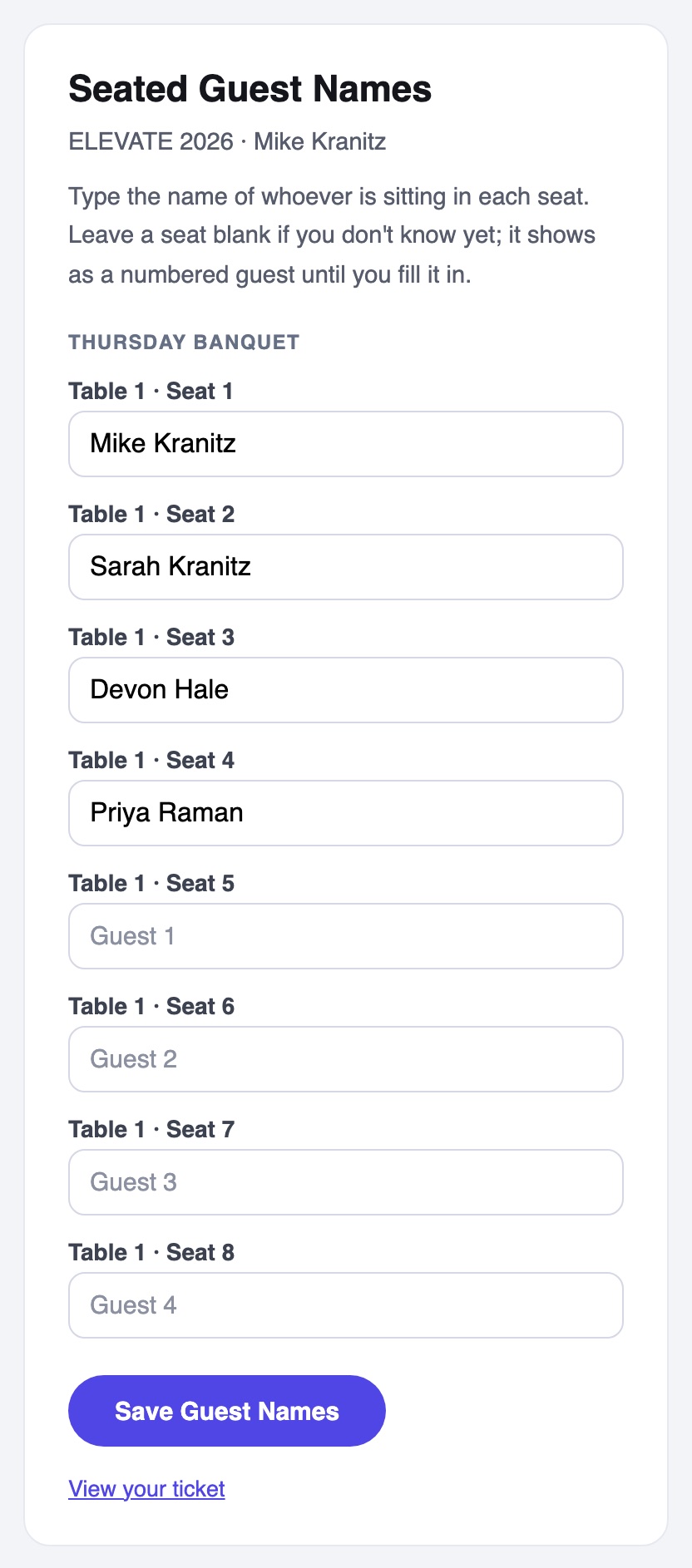
The button opens a page with every seat on the registration and a name box for each. There is nothing to sign in to: the link itself is the key, the same way the ticket link is. They can come back to it as often as they like, and an unnamed seat shows its Guest number in the box.
How Unnamed Guests Are Numbered
Guest numbers count the blank seats of one registration on one map, table by table and seat by seat. So Riley's one blank seat is Riley's Guest 1, and Mike's four blank seats are Mike's Guest 1 to Guest 4. The same seat carries the same label everywhere: the table map, the seating chart, the door and the guest names page. Name a guest and the remaining numbers close up.
Checking Guests In
At the door, find the registration by its name or by any named guest, and open it. Every seat is listed with its own check box, its name or Guest number, and its table and seat, with a count of how many seated guests are in.
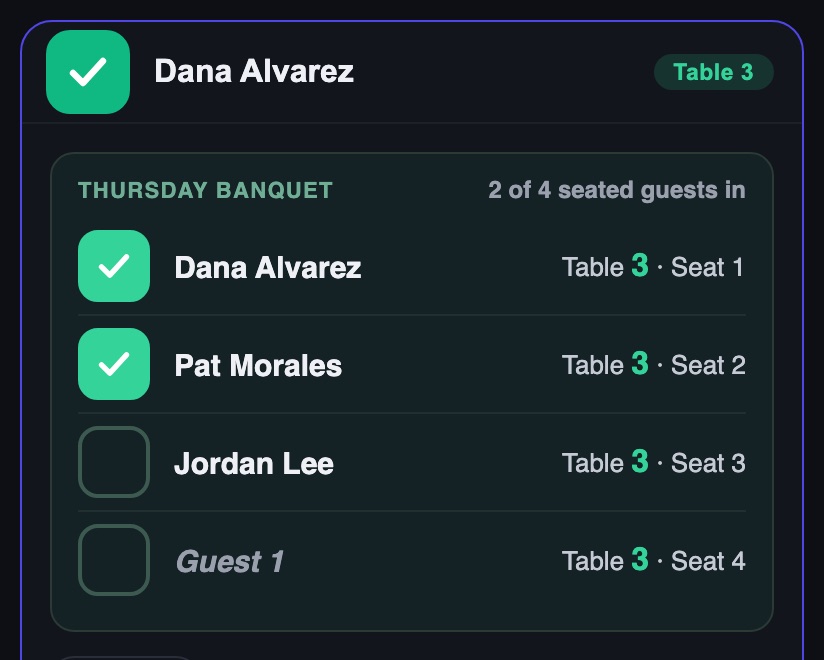
- Tick each guest as they arrive. A blank seat is ticked the same way; it does not need a name first.
- Guest check-in is separate from the registration's own head count. One pass can buy a table of eight, and eight guests at dinner are not eight admissions at the gate.
- The Check-In Desk on Gate Check-In shows the same guests as small chips under each registration, and a click marks one in. Phones and the desk share one count.
The Seating Chart
Reports › Attendee Reports › Seating Chart prints the room with every seat numbered and a box per table saying who sits in each seat, guests included, with a check mark beside anyone already in. See Attendee Reports.