
A table map is a seated room: a gala, an awards breakfast, a banquet. You lay out the tables, and registrants pick their own seat. Seats are sold one at a time, so a table can fill with people who do not know each other, or a company can take all eight.
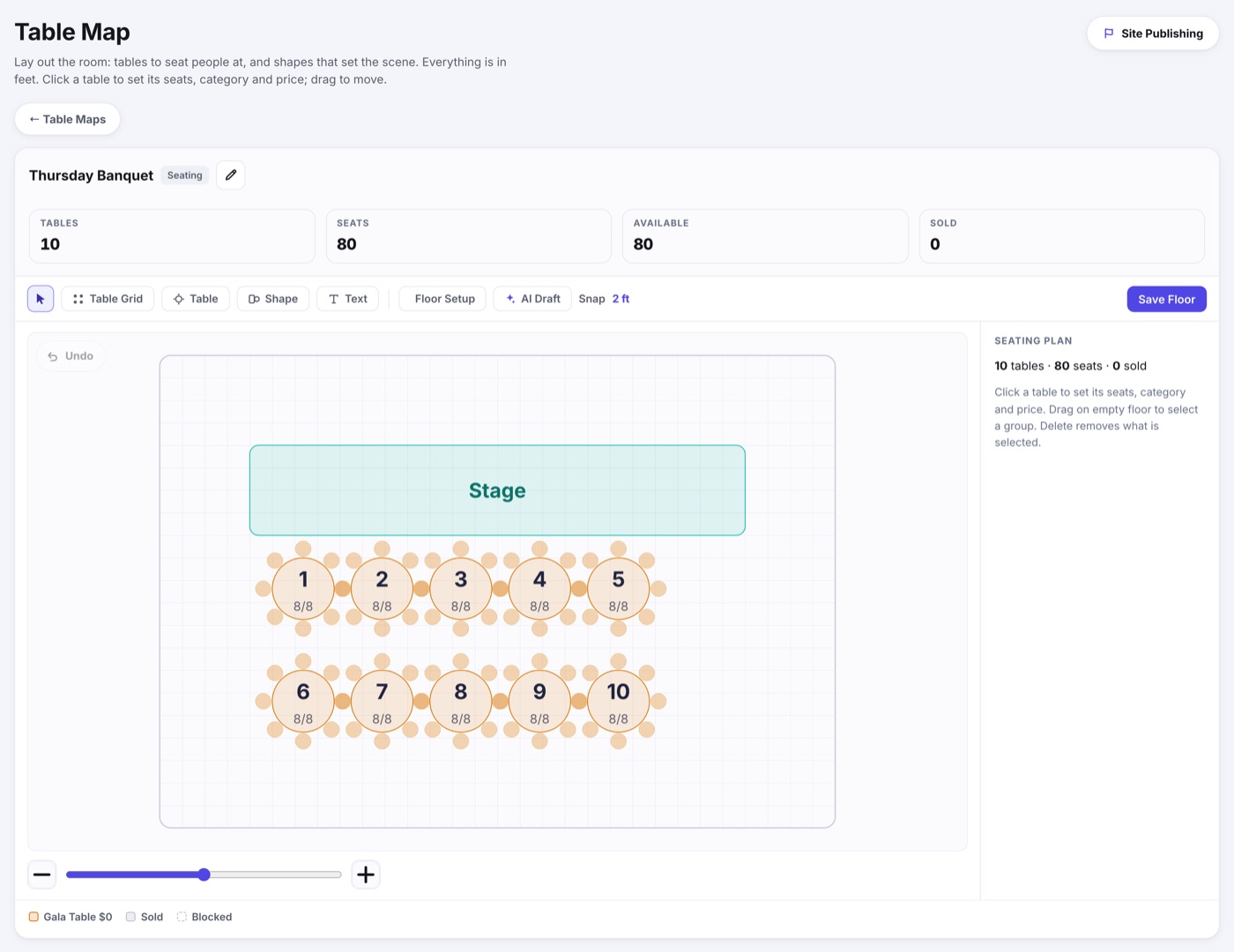
One map per seated event
Booths & Tables › Table Maps lists every seated room in your event. A three-day conference with a Thursday banquet and a Saturday awards lunch has two maps, each with its own tables and its own price.
Laying out the room
- Table Grid stamps a block of numbered tables in one drag, which is how most rooms get built. Its gap is measured from table edge to table edge, and a gap too small for the seats around the tables is raised automatically so neighbors' chairs never overlap.
- Table draws one more where you need it. Click a table to set its seat count, category and price, or to block it.
- Shape and Text set the scene: the stage, the dance floor, the bar, the doors. They are not for sale, they just help people choose.
- Floor Setup holds the room dimensions and the snap grid. Everything is in feet, so the map matches the room.
- Categories brings the seat categories back to the right side after you click a table or use another tool, so you can change a color, price or minimum.
- Registrant View opens the real registration form on a test link, already at this room, so you can try picking seats the way a registrant would. Nothing you do there counts, holds a seat or charges anyone. The same button sits on each map's row in Table Maps.
- AI Draft builds a first version from a sentence describing the room, ready for you to adjust.
Categories and minimums
- A seat category colors the tables and sets the default price per seat. Front tables can cost more than back tables.
- A table can override its category's price on its own.
- A table can carry a minimum, so a sponsor table of ten cannot be broken up by one person taking a single seat.
Who Is Sitting Where
Every seat on the map shows its number, and a filled seat is dark. Point at any seat to see who sits there in a small tile, or click a table to list its seats in the Who Is Sitting Here panel under the map: one card per seat with the person's name, whose guest they are, and Change or Clear. Pointing at a card rings its seat on the map, and clicking a seat lights its card.
An unnamed guest shows as Guest 1, Guest 2 and so on, beside the name of the registration they belong to. See Seated Guests for how guests are named and checked in.
Assigning a Seat Yourself
Click Assign on an open seat's card (or Change on a taken one) and search this event's registrations by name, email or order number. Pick one, then say who sits in the seat:
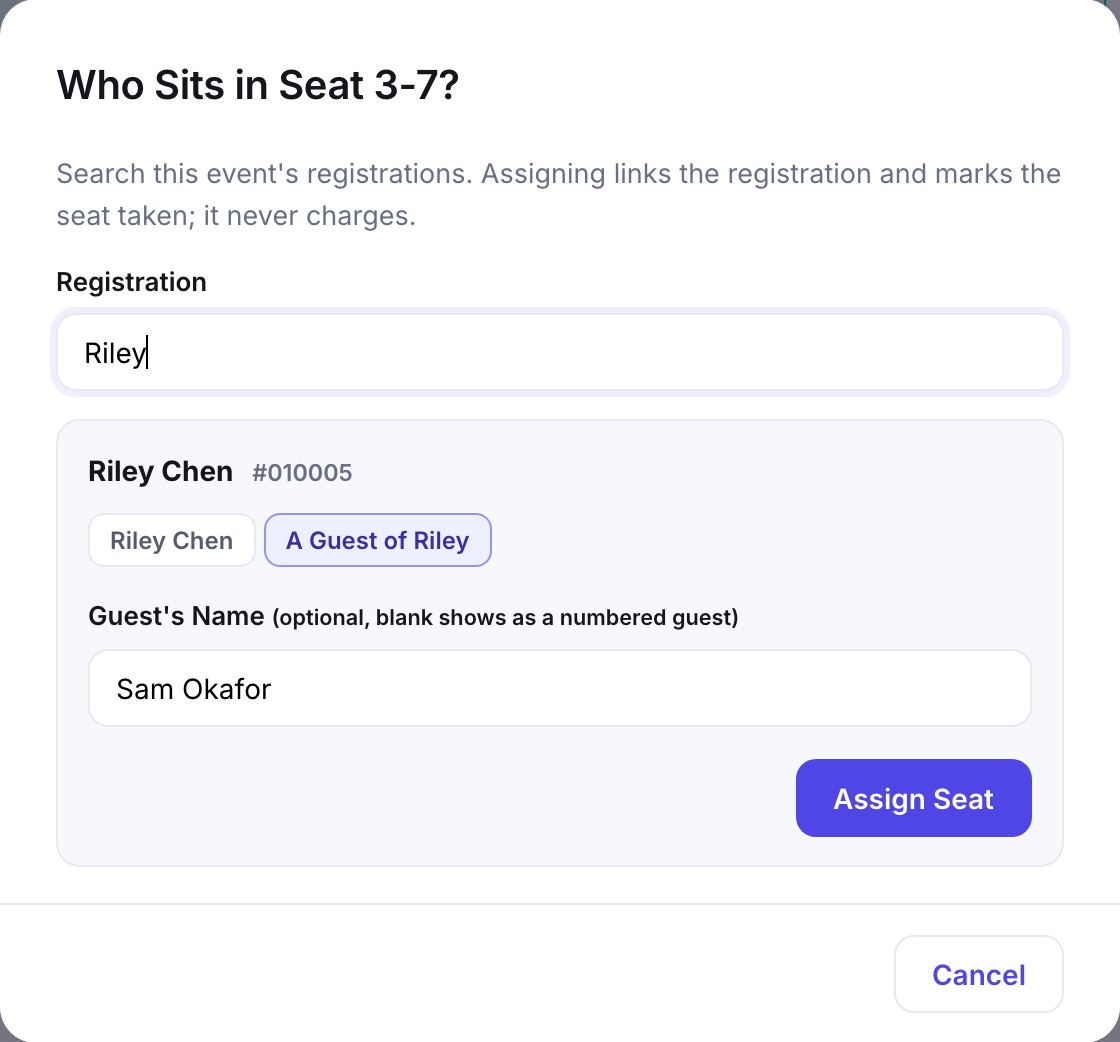
- The registrant themself, by name.
- A guest of the registrant, with an optional name. Leave it blank and the seat shows as their next Guest number.
- The choice starts on the registrant unless they already sit on this map, in which case it starts on a guest. Either way it is yours to change.
- Assigning never charges anyone. It links the registration and marks the seat taken. Add a charge from the registration's order if one is owed.
- To move someone, drag their seat on the map onto another one. Dropping onto a taken seat swaps the two people.