
Open an item, tick a booth map under its Floor Map Access, and anyone who picks that item gets a Choose Your Booth step on the form. Switch on Required there and they cannot finish without a booth.
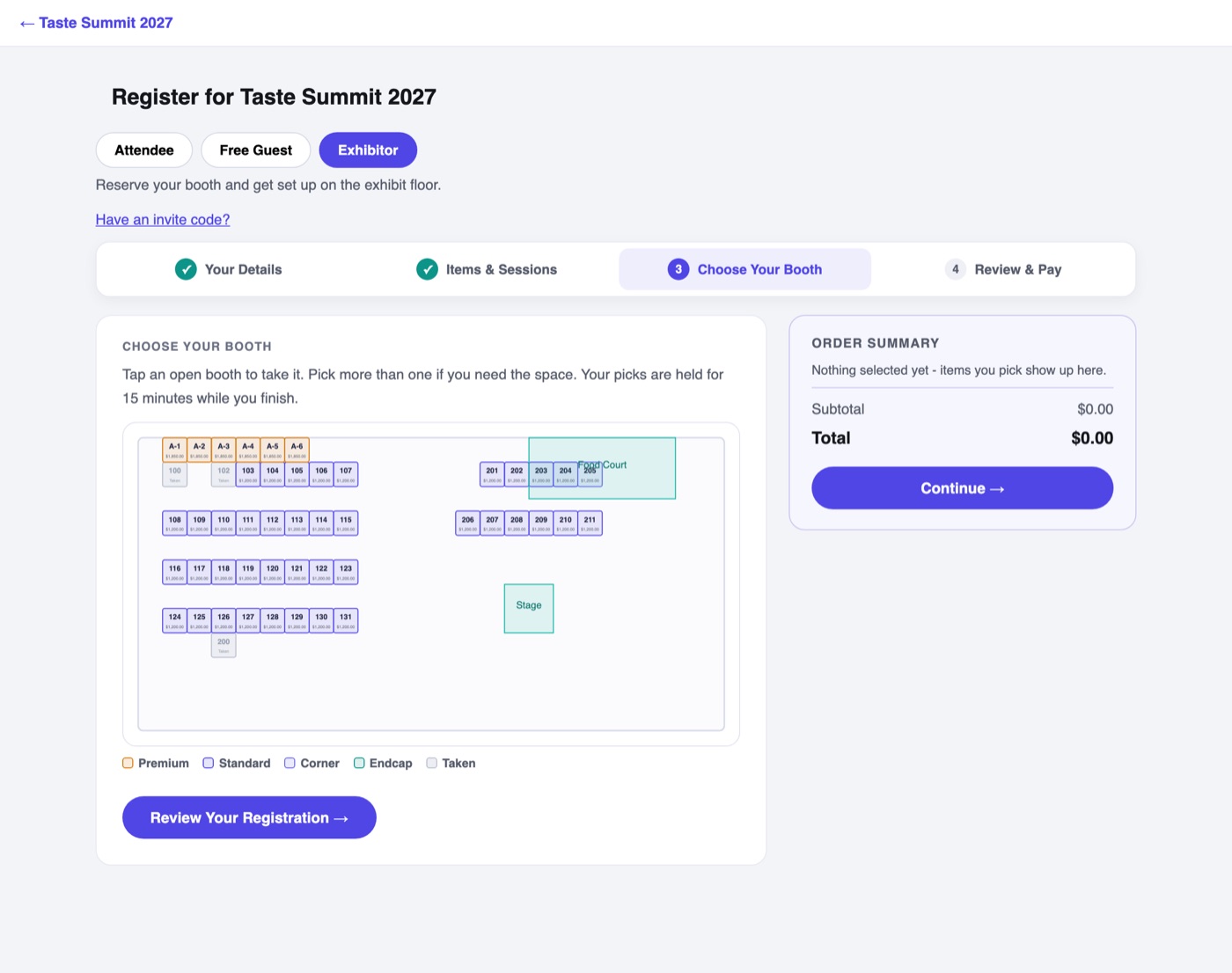
- The map is live: sold and held booths gray out as they go, so two buyers cannot land on the same space.
- Tapping a booth holds it for 15 minutes while the buyer finishes the form. If they walk away, the hold expires and the booth frees itself.
- A buyer can take more than one booth in a single registration, and each booth's price joins the order total, up to any Limit Per Registrant you set on a booth category.
- When the order completes, the booth flips to sold, and the buyer gets the Sponsor & Exhibitor Portal automatically, whatever their registrant type. Their confirmation email carries its private link, with their booth numbers and their crew's worker pass code.
One item can open several booth maps, or exactly one table map, never a mix. Offer it to whichever registrant types should buy space; there is no special exhibitor type.
Several Items, Several Booths
Each item that requires a booth needs a booth of its own, from the categories that item allows. Say a Gold Sponsorship comes with a Premium booth and Buy a Booth sells Standard booths: someone who picks both sees one map with both kinds, a line that says Each of these needs its own booth and ticks each item off as they pick, and cannot continue until they hold one Premium and one Standard booth.
If they go back and take an item out, the booths only that item allowed come out of their order with it. A booth another item in the cart still allows stays where it is.