
Portals › Commercial Portal is where you look after the Sponsor & Exhibitor Portal. What a registration buys grants it: a Sponsorship item or a booth. This page lists every company that has one and gives you the controls around it.
Companies
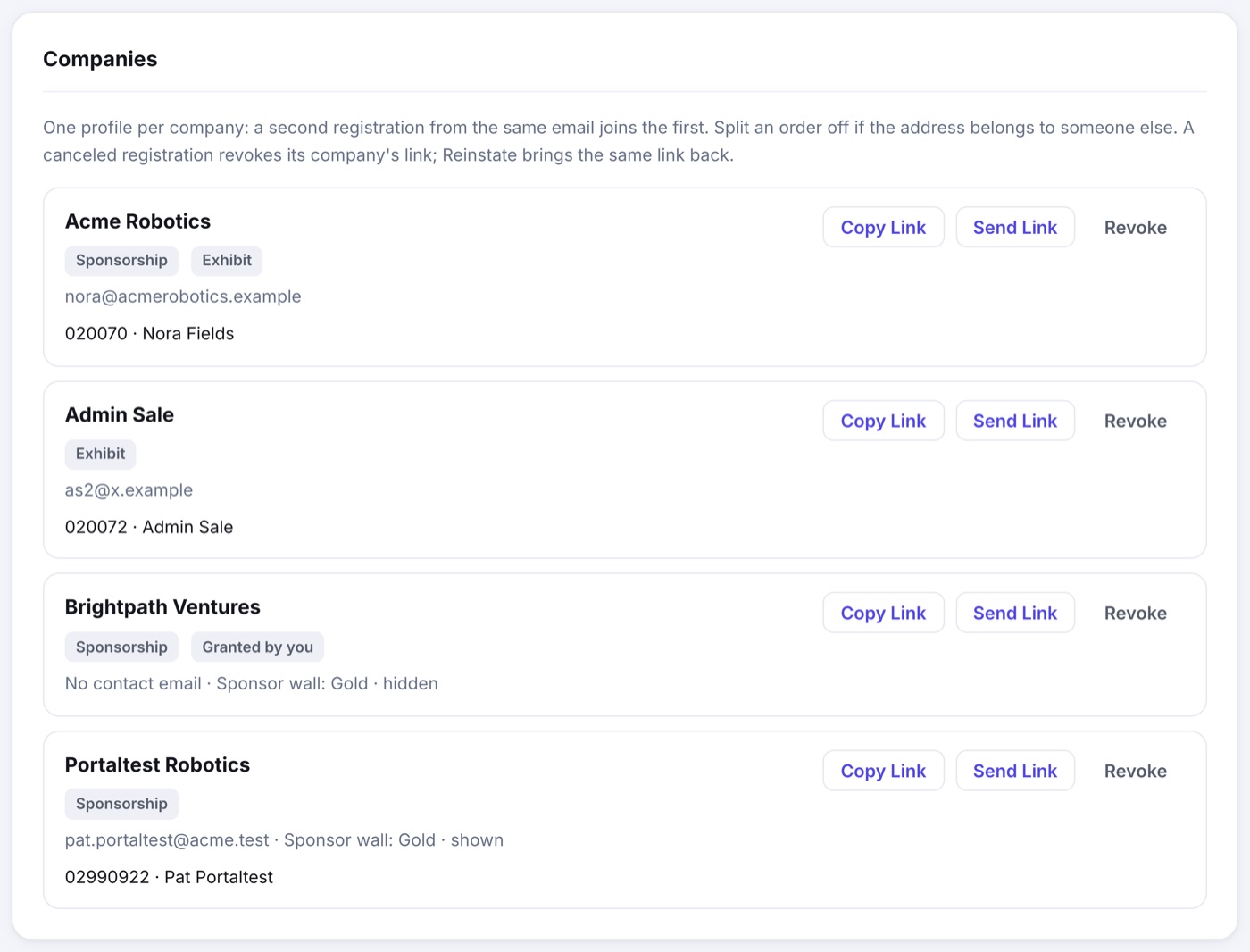
- Each row shows the company, the areas it holds (Sponsorship, Exhibit), its contact email, the registrations behind it and, for a sponsor, where its sponsor wall tile stands.
- Copy Link and Send Link hand the company its private link again. Send Link emails it to the company's contact.
- Revoke turns the link off and hides the company's sponsor tile. Nothing is deleted, and Reinstate brings back the same link. Show the tile again from the Sponsors page when you are ready.
- Split appears on a company holding more than one registration. It moves that registration to a company and link of its own, for when one email address was shared by two companies.
Grant Portal Access
For a sponsor who did not register: a comped partner, an in-kind sponsor, someone you added by hand. Grant Portal Access gives them the Sponsorship tab, filled in from their sponsor listing, and emails the link when the sponsor has an email address. With no address, you get the link to pass on yourself.
Sponsors From the Old Portal
If sponsors used the old combined speaker and sponsor portal at your event, a band at the top counts them. Send Their New Links gives each one a portal made from their listing and sends one email each. It only runs when you press it and confirm.
Portal Tab Intros
A sentence or two at the top of each tab of the portal, in your words: deadlines on the Company tab, deliverables on the Sponsorship tab, move-in on the Exhibit tab. Leave one empty and that tab opens straight onto its fields.