
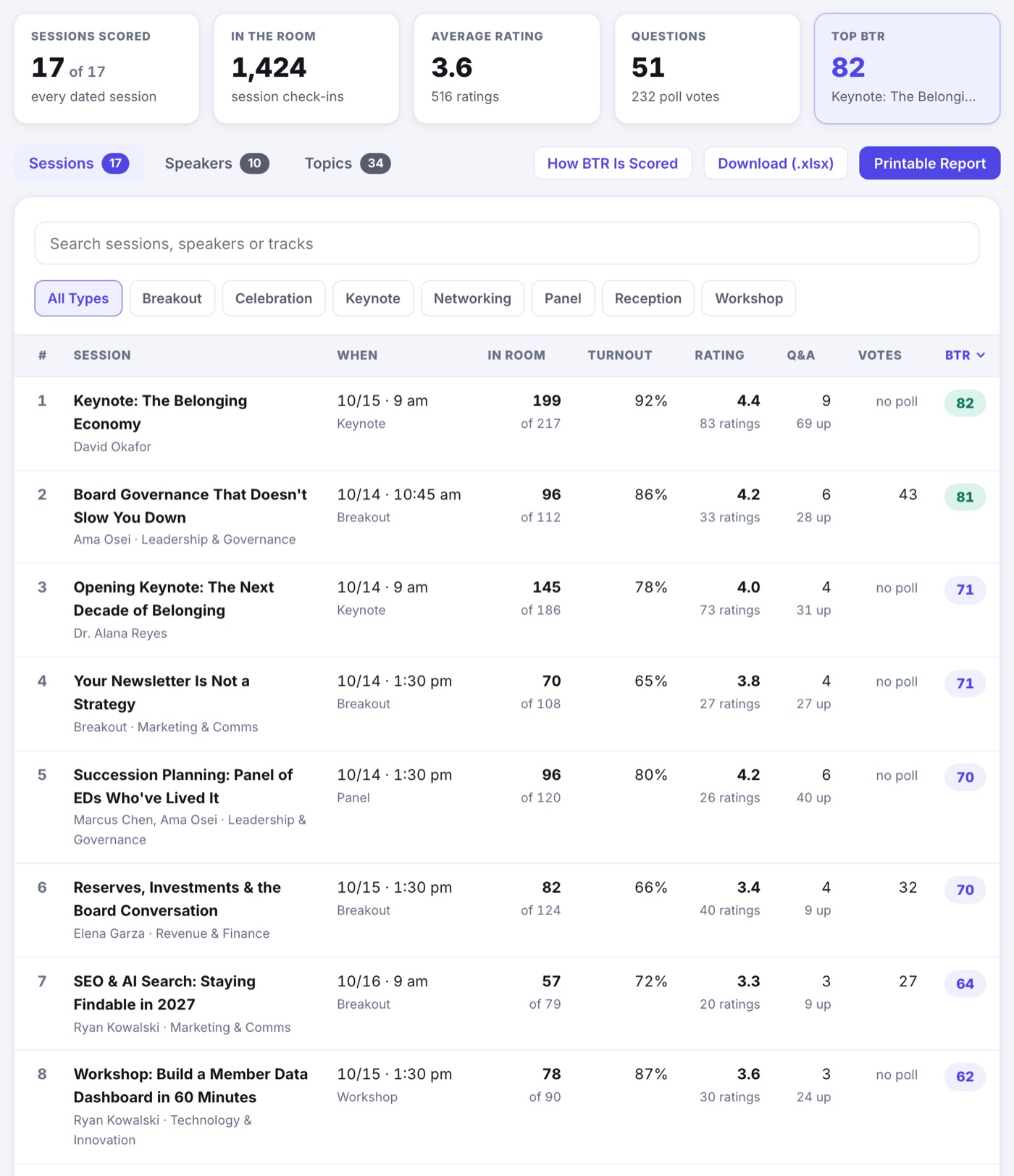
Reporting › Session Performance shows how every session landed, and which speakers and topics did best across the whole event. It is a page you work on screen: search it, sort it, and press any row for the story behind its score.
The Top Row
- Sessions Scored: how many sessions have a score. A session with no day on the agenda is left out, and the tile says how many were.
- In the Room: session check-ins across the event.
- Average Rating: the average star rating, with how many ratings it comes from.
- Questions: questions asked in Session Q&A, with the poll votes cast underneath.
- Top BTR: the best score, and the session that earned it.
Sessions, Speakers and Topics
- Sessions ranks every session: when it ran, how many were in the room against how many planned to come, turnout, rating, questions, poll votes and BTR.
- Speakers scores each speaker from their sessions, with their best session beside them.
- Topics does the same for your tracks, or for your tags with the Tracks and Tags switch.
- Search by session, speaker or track, narrow the list to one session type with the chips, and press any column heading to sort by it. Press it again to reverse the order.
One Session's Breakdown
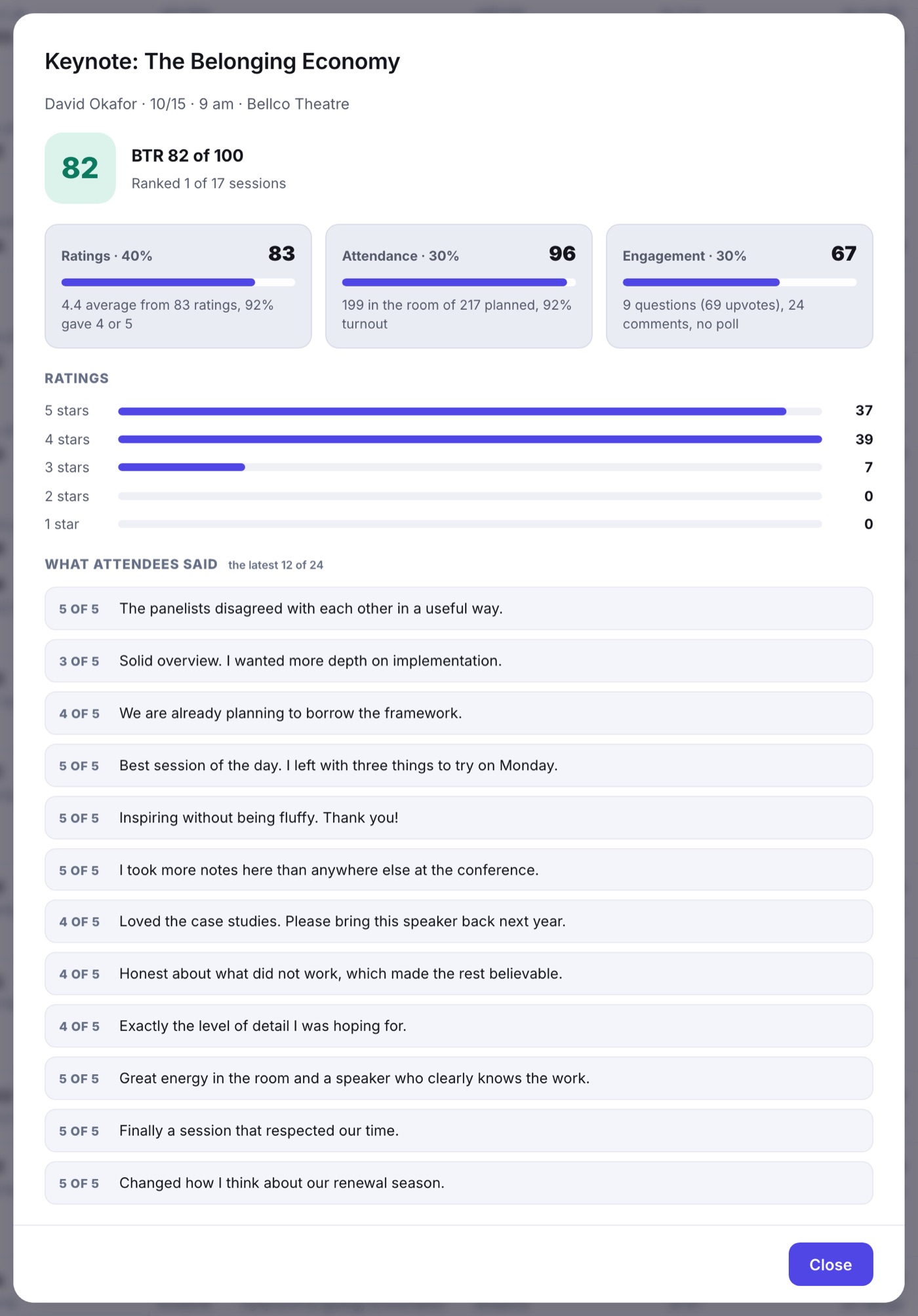
Press a session and its breakdown opens: its BTR and where it ranks, a bar each for Ratings, Attendance and Engagement with the plain numbers behind it, how its star ratings spread from 5 down to 1, and up to 12 of the latest attendee comments. Press a speaker or a topic to see the sessions it was scored from.
How BTR Is Scored
BTR stands for Beyond the Ratings. It is a score from 0 to 100 that blends what people said about a session with what they did there. The How BTR Is Scored button on the page explains it too.
- Ratings, 40%: the average star rating. A session with only a few ratings is pulled toward the event's average until more people rate it, so one perfect vote cannot top the list.
- Attendance, 30%: half is turnout, how many of the people who registered for the session or put it on My Schedule actually checked in. Half is the size of the room against similar sessions, so a breakout is compared with breakouts, not with the keynote.
- Engagement, 30%: questions and upvotes, comments, and poll votes, per person in the room. Poll votes only count where the session ran a poll, and a nearly empty room cannot score a perfect engagement.
Print It or Take It Away
- Printable Report lays the same results out as pages to print or save as PDF. The Session Performance button above them takes you back to the dashboard.
- Download (.xlsx) is a workbook with a sheet each for Sessions, Speakers, Tracks, Tags and Comments.