
A poll is written once and can then be run on any session. Every session keeps its own ballot box, so asking the same question in two rooms gives you two clean sets of results rather than one muddled one.
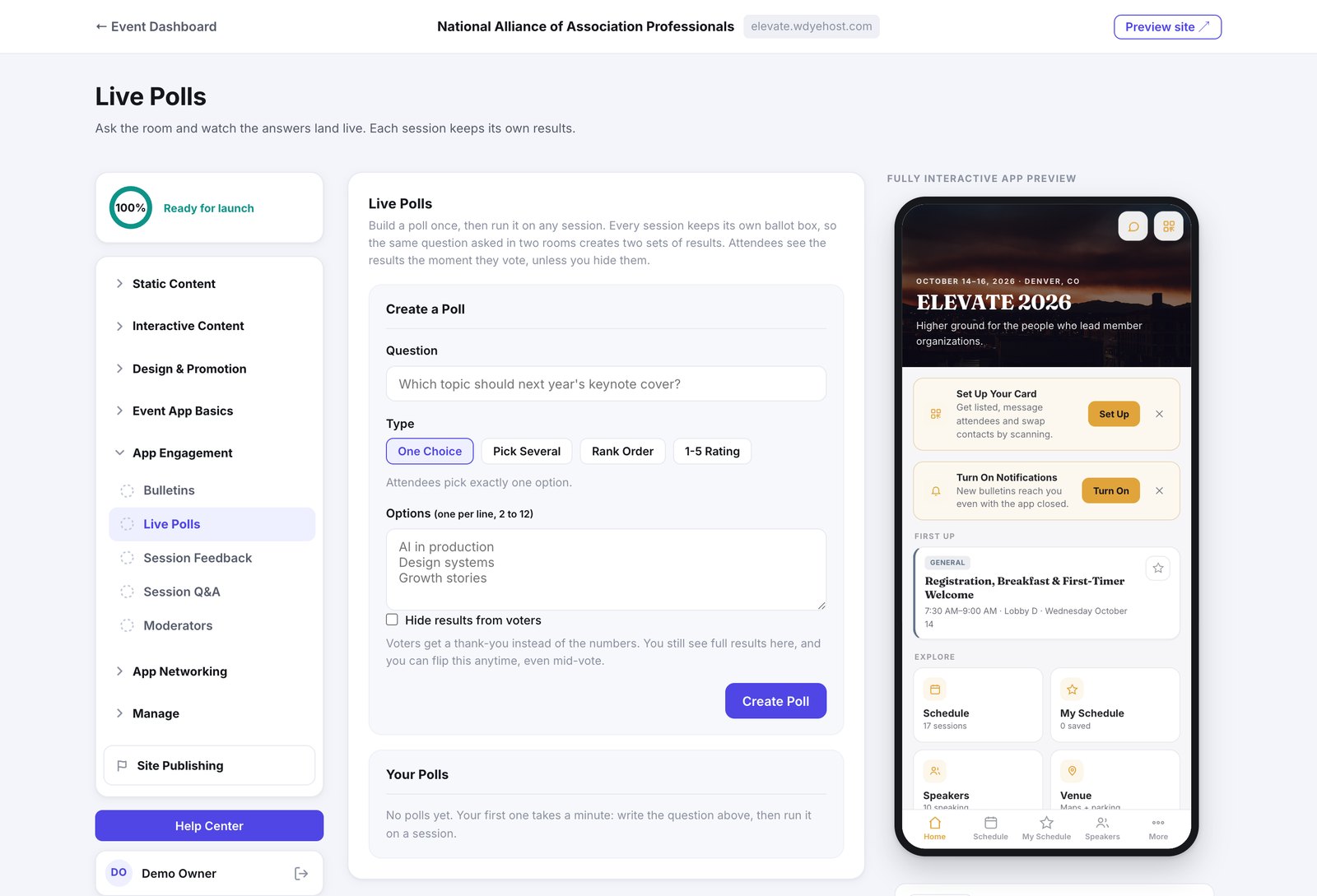
- Open Day Of › Live Engagement › Live Polls.
- Write the question and pick a type.
- Enter the options, one per line.
- Click Create Poll, then run it on the sessions you want.
The four types
- One Choice: attendees pick exactly one option.
- Pick Several: they can choose more than one.
- Rank Order: they put the options in order.
- 1-5 Rating: a simple scale.
Where It Shows, and Previewing It
Each poll card has a Display button: choose the spots it runs in, On the home screen or on particular sessions, and save. Each saved spot then has a Preview link that points the phone preview at that screen, so you can see the poll exactly where attendees will. Preview saves nothing.
Results
Attendees see the results the moment they vote. Tick Hide results from voters and they get a thank-you instead, while you still see everything here. You can flip that at any time, including mid-vote.