
Both reports live under Reports › Attendee Reports, beside the roster and the rooming list. They appear once the agenda has a session.
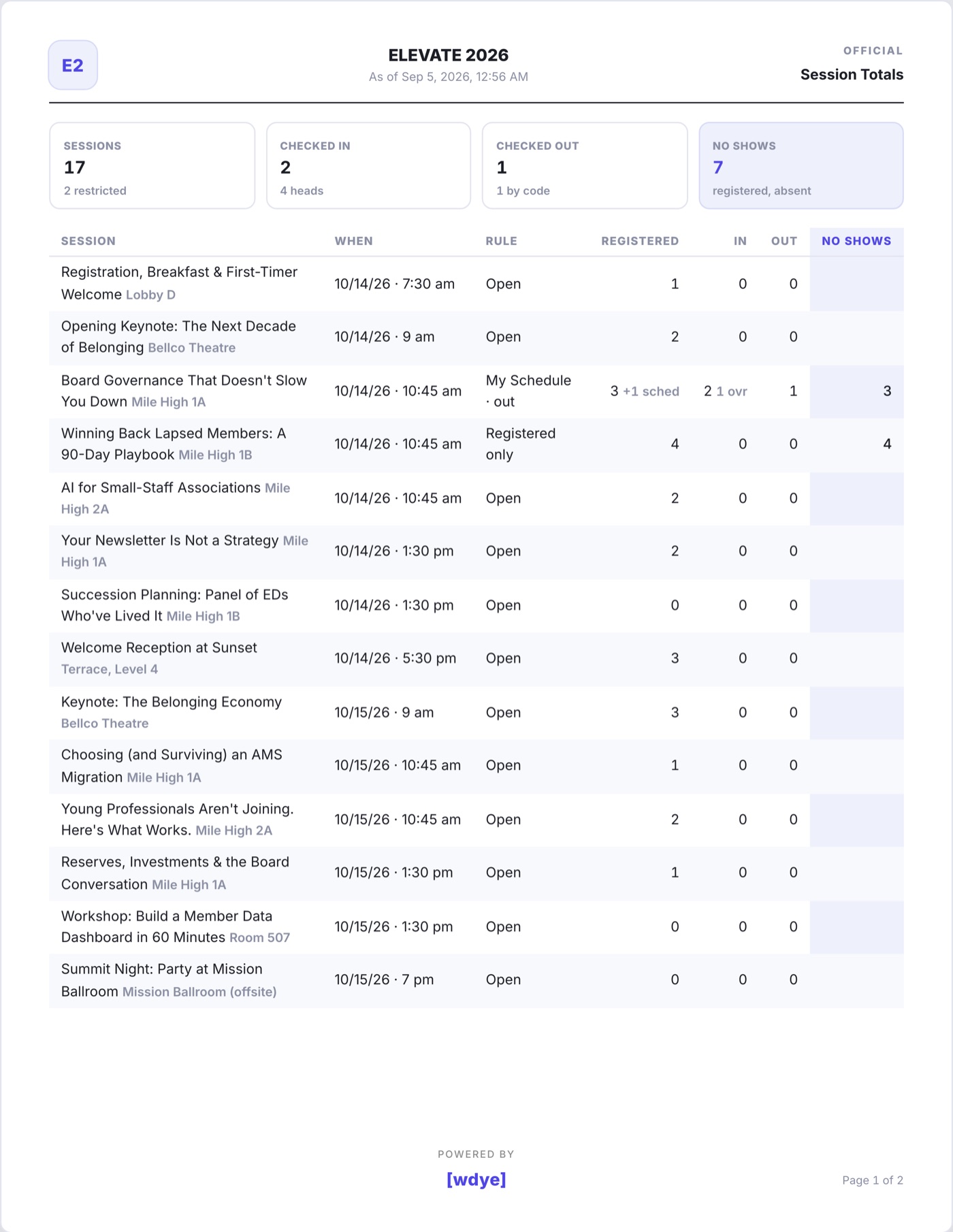
- Session Totals is one line per session on the agenda: registered, checked in, checked out and no shows, with the event's totals at the foot. Sessions nobody scanned at show zeros, so the sheet is the whole day at a glance.
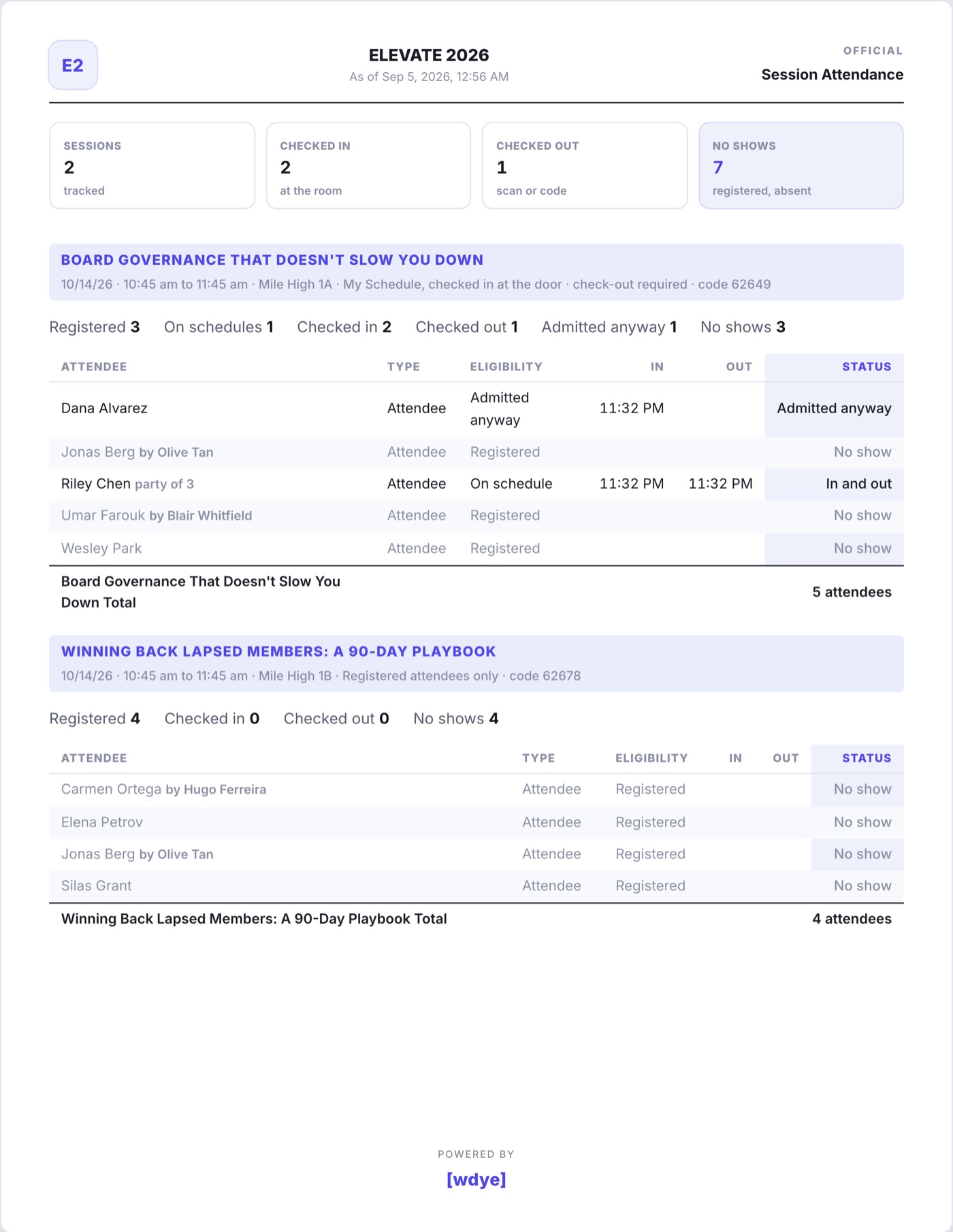
- Session Attendance is the detail: every restricted session, and every open session anyone scanned at, with each attendee's eligibility, time in, time out and status. Registered people who never came are listed as No show; anyone a volunteer admitted over the rule as Admitted anyway; a code entered with no scan at the door as Out only.
Both print from the page, and both download as CSV or Excel from the Spreadsheet Downloads card. The Custom Report Builder also offers Sessions Checked In and Sessions Checked Out columns, so a registrant list can carry each person's session record.