
The check-in app your gate volunteers use also works at a room door. It needs the event passcode, or the printed Volunteer QR, and nothing else. For the front gate itself, see Checking People In at the Door.
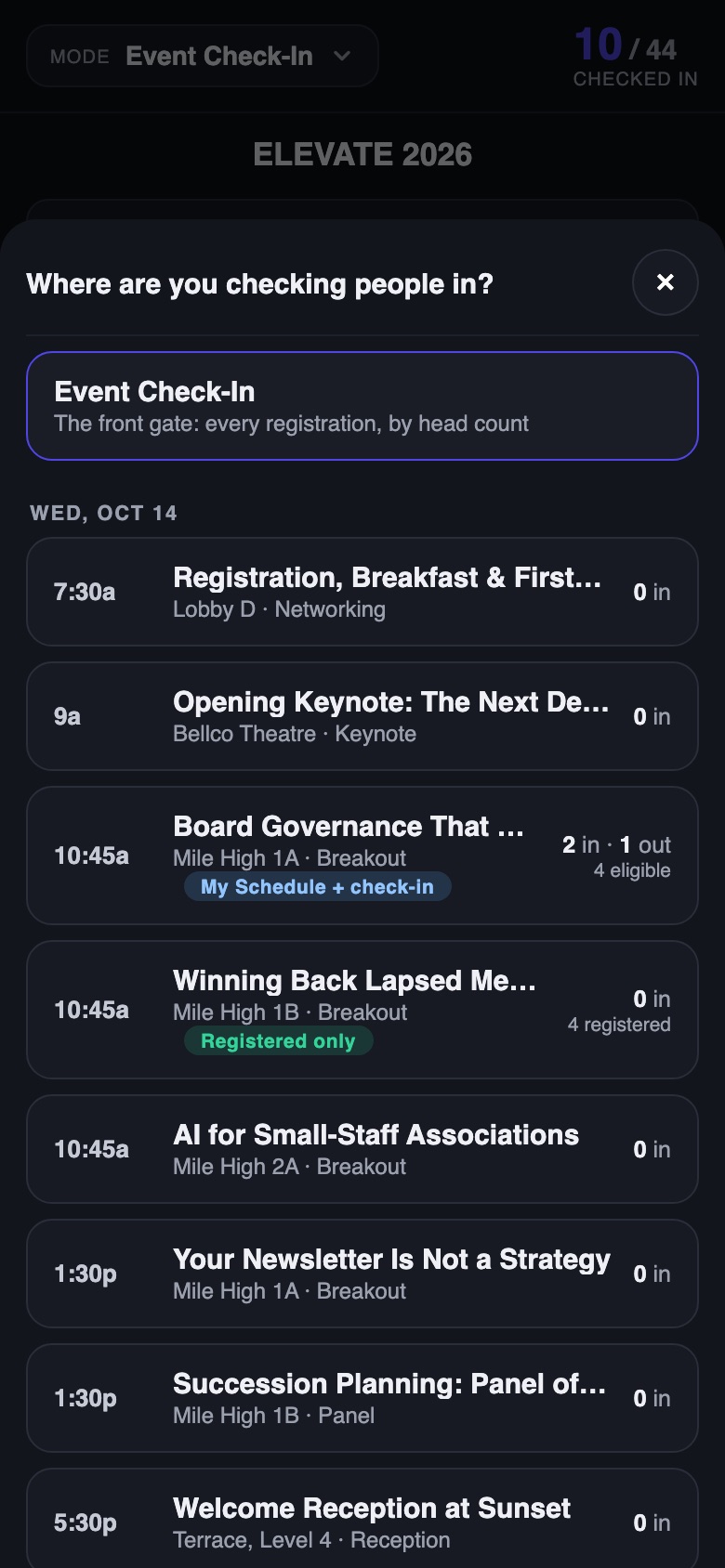
- Open the check-in app and tap the Mode control at the top. It reads Event Check-In until you pick a session.
- Choose the session from the list. Today's sessions come first, each with its room, its rule and a live tally.
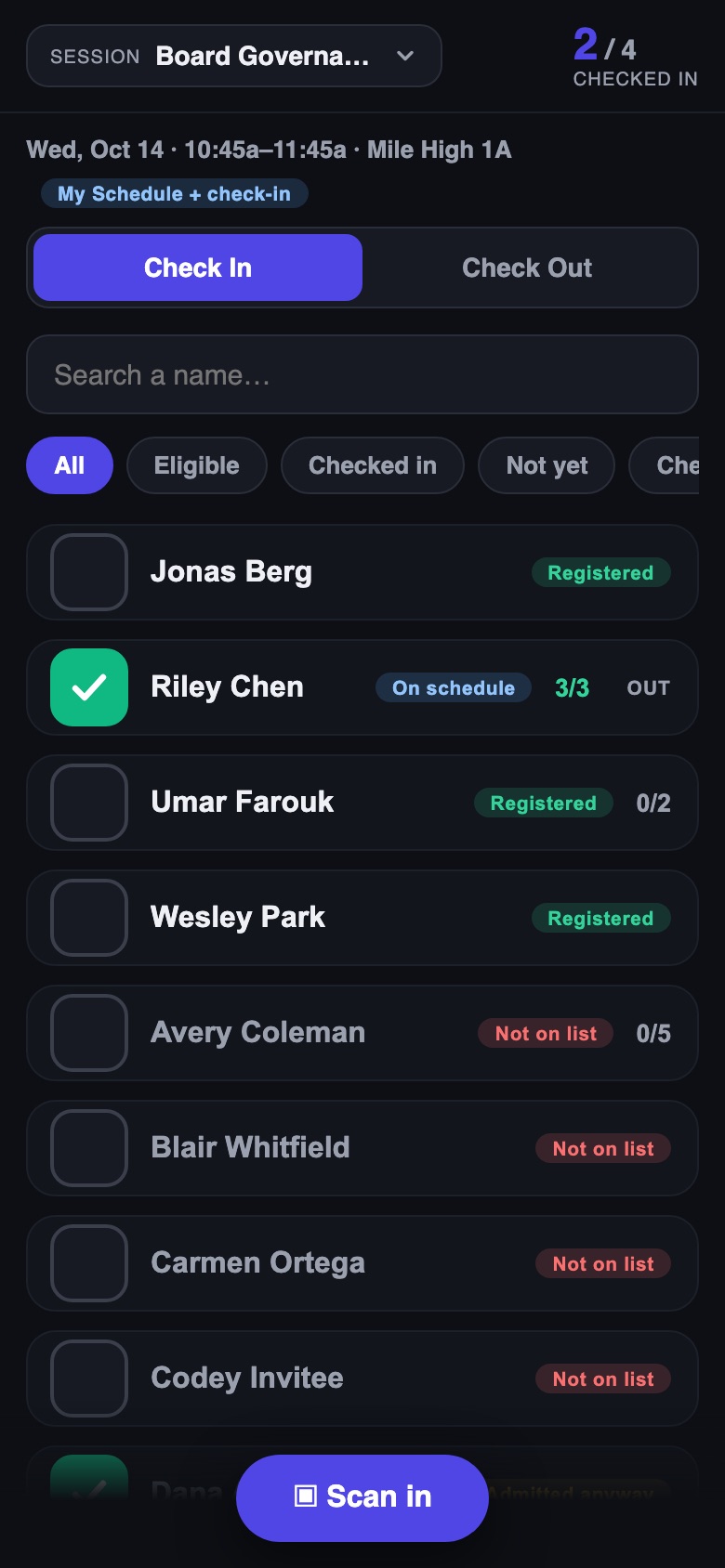
- Leave the toggle on Check In. Tap Scan in and point the camera at the attendee's ticket QR, or search their name and tap the box beside it.
- When the session ends, flip the toggle to Check Out and scan people out the same way, if the session requires check-out.
What the app tells you
- Registered or On schedule on a row means the rule admits them. Not on list means it does not.
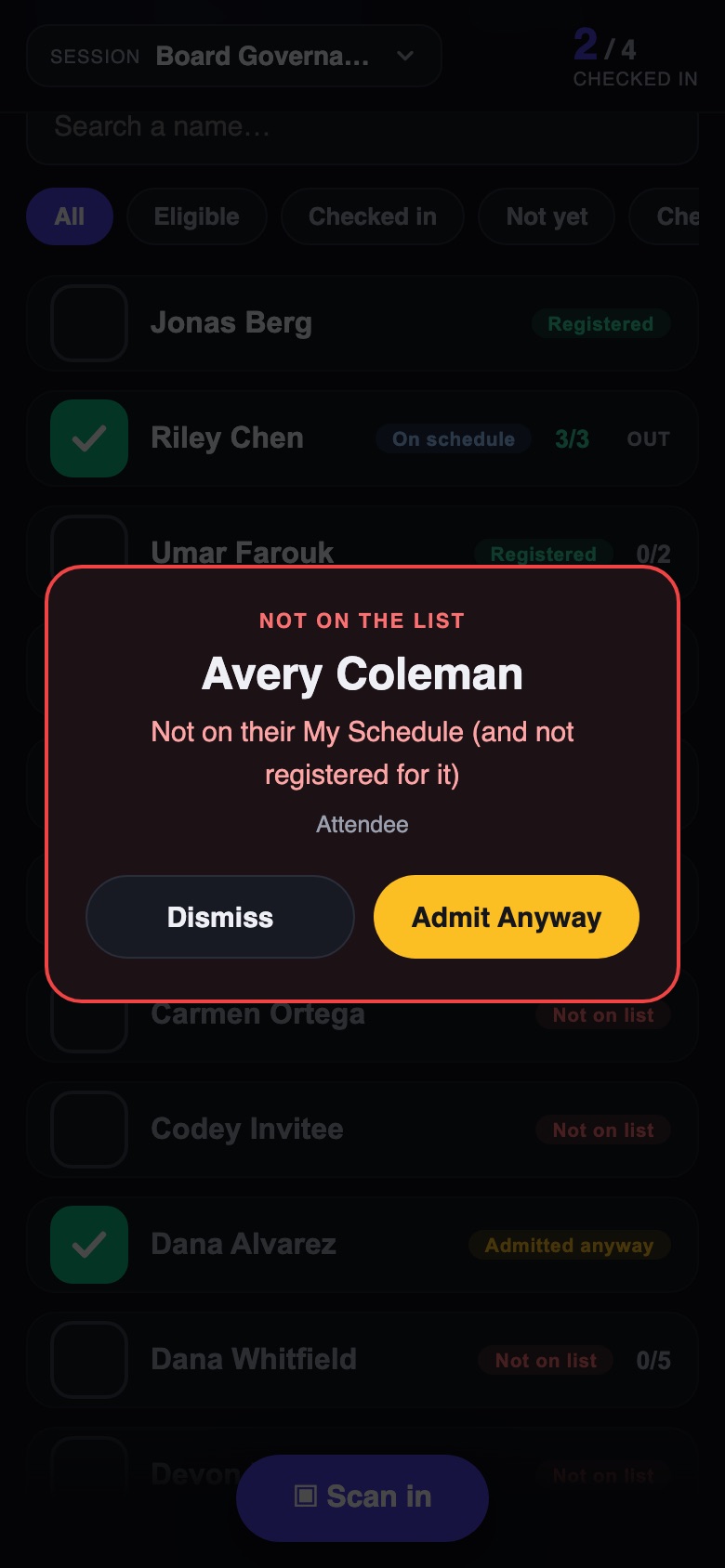
- A refused scan shows a red card with the reason. Admit Anyway lets them in and records that a volunteer overrode the rule; Dismiss turns them away.
- A party registered on one ticket is counted by heads, as at the gate: tap + as each person arrives, or the box to admit everyone at once.
- The tally at the top counts checked in, or checked out, against the number the rule admits.
The Dashboard's Checked In tile counts the gate only. Session check-ins have their own reports under Attendee Reports.