
Every agenda item carries an attendance rule. Open the item from Agenda & Sessions and scroll to Attendance. Most sessions stay open; set a rule only where the room is limited or where attendance has to be proven.
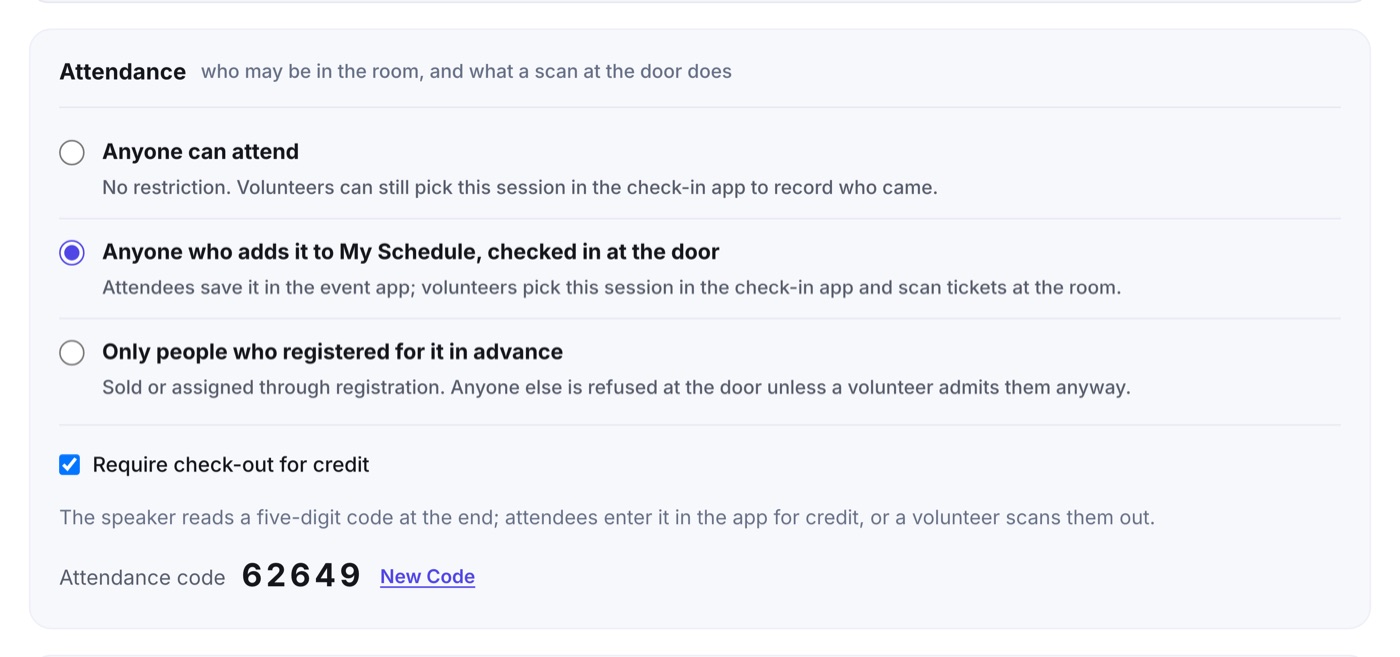
- Anyone can attend. The default. No restriction, and volunteers can still pick the session in the check-in app to record who came.
- Anyone who adds it to My Schedule, checked in at the door. Attendees save the session in the event app. At the room, a volunteer scans their ticket and the app confirms it is on their schedule, or that they registered for it.
- Only people who registered for it in advance. The session was sold or assigned through registration. Anyone else is refused at the door unless the volunteer admits them anyway.
Check-out and the attendance code
The moment a session leaves Anyone can attend, the studio creates a five-digit attendance code for it and shows it in the same box. Tick Require check-out for credit when attendance should count only for people who stayed to the end: the speaker reads the code aloud as the session closes, and attendees enter it in the event app, or a volunteer scans them out.
The agenda list marks a restricted session with a small Check-in or Registered only pill, so the rules are visible without opening each item.