
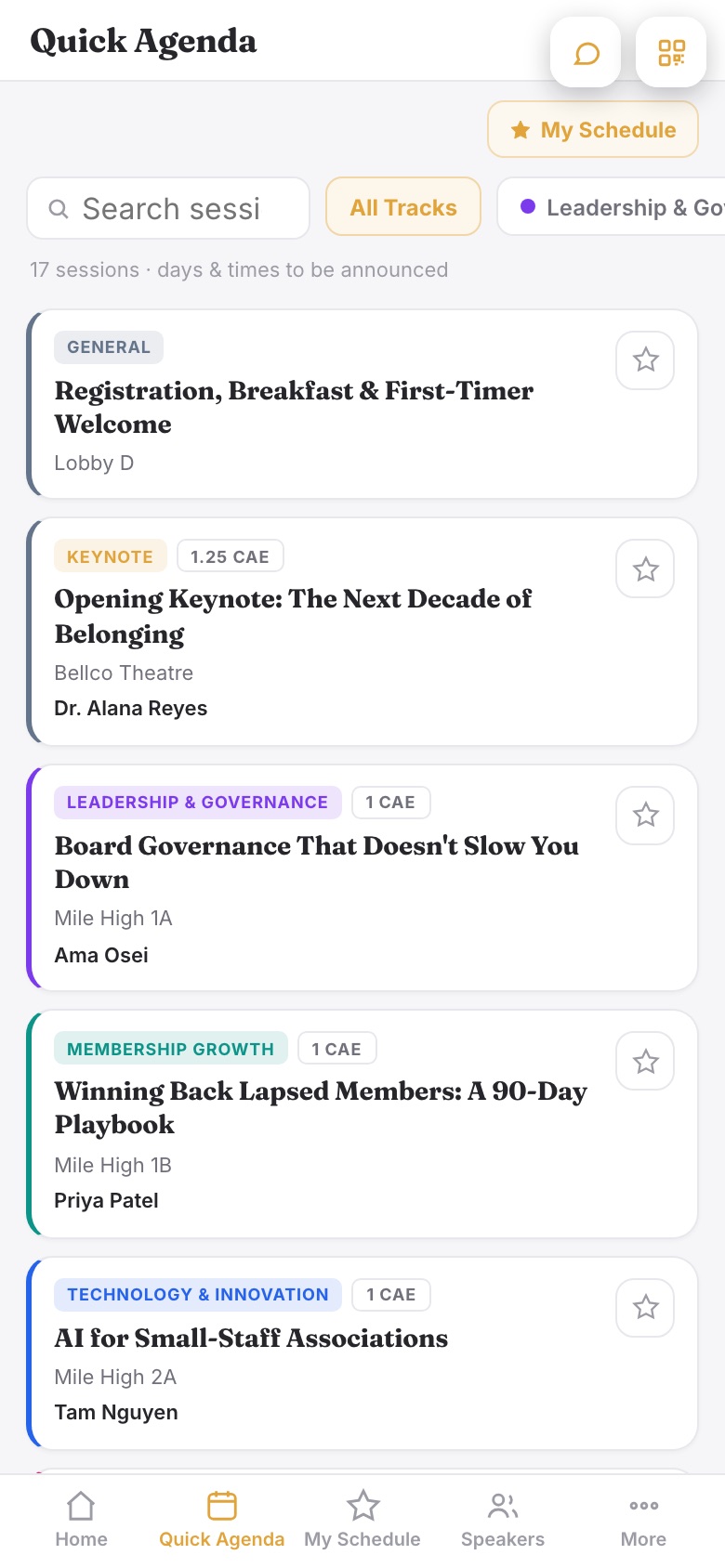
Quick Agenda lets you publish a provisional schedule in the event app before dates and times are locked. Attendees see the full session lineup as a clean list, with every filter working, and the words "days & times to be announced" set expectations honestly.
Turning it on
- Open Event App > App Sections.
- In the Schedule block, choose Quick Agenda instead of Full Schedule.
- Publish the app as usual. The agenda tab is renamed Quick Agenda and moves to the first spot after Home, because while the program is provisional, the list is the app.
What attendees see
- Every session, scheduled or not, in one curated list without dates or clock times.
- All the usual tools still work: search, track and session-type filters, credit filters, favorites, and My Schedule.
- Session pages say "Day & time to be announced" instead of showing a blank.