
Your sponsors come across from the website automatically. The app can show three things the website does not: a short blurb, a booth number, and a contact.
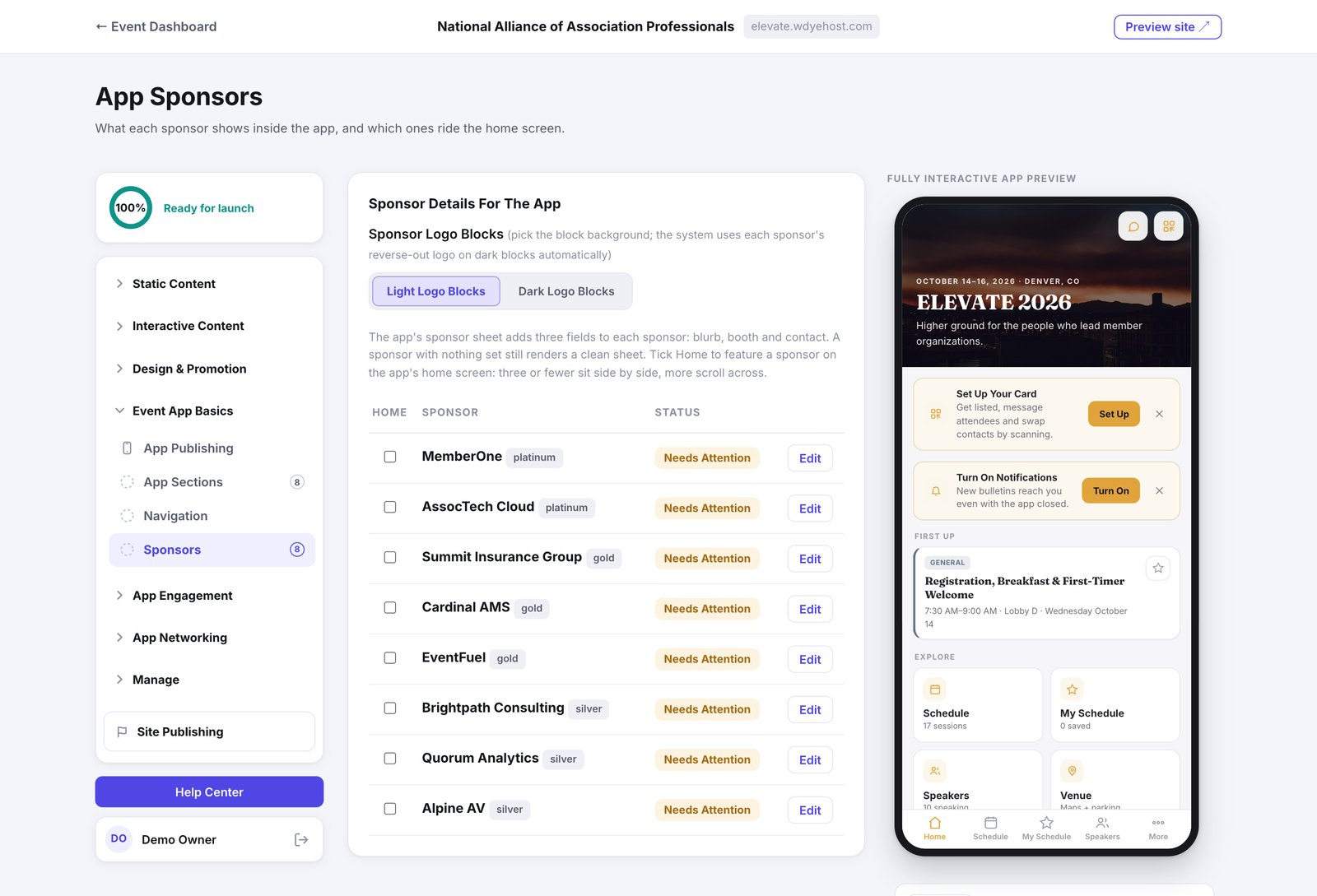
- Open Event App Basics › Sponsors.
- Click Edit beside a sponsor and fill in the blurb, booth and contact.
- Tick Home for any sponsor you want featured on the app's home screen.
- Three or fewer featured sponsors sit side by side on the home screen. More than three scroll across.
- A sponsor with none of these fields filled in still gets a clean sheet in the app, so you can leave them blank.
- Light or Dark logo blocks set the background behind the logos. Each sponsor's reverse-out logo is used automatically on dark blocks.
The booth number fills itself in for a sponsor who bought a booth: it comes from the floor map, reads like Exhibit Hall · Booth 214, and follows the booth if you move it. You only type a location for a sponsor without a booth, like Foyer or Reg Desk.