
Website Widgets, under Design, holds the two things on your site that count themselves: the band of numbers under the hero, and the countdown clock in it.
The stat bar
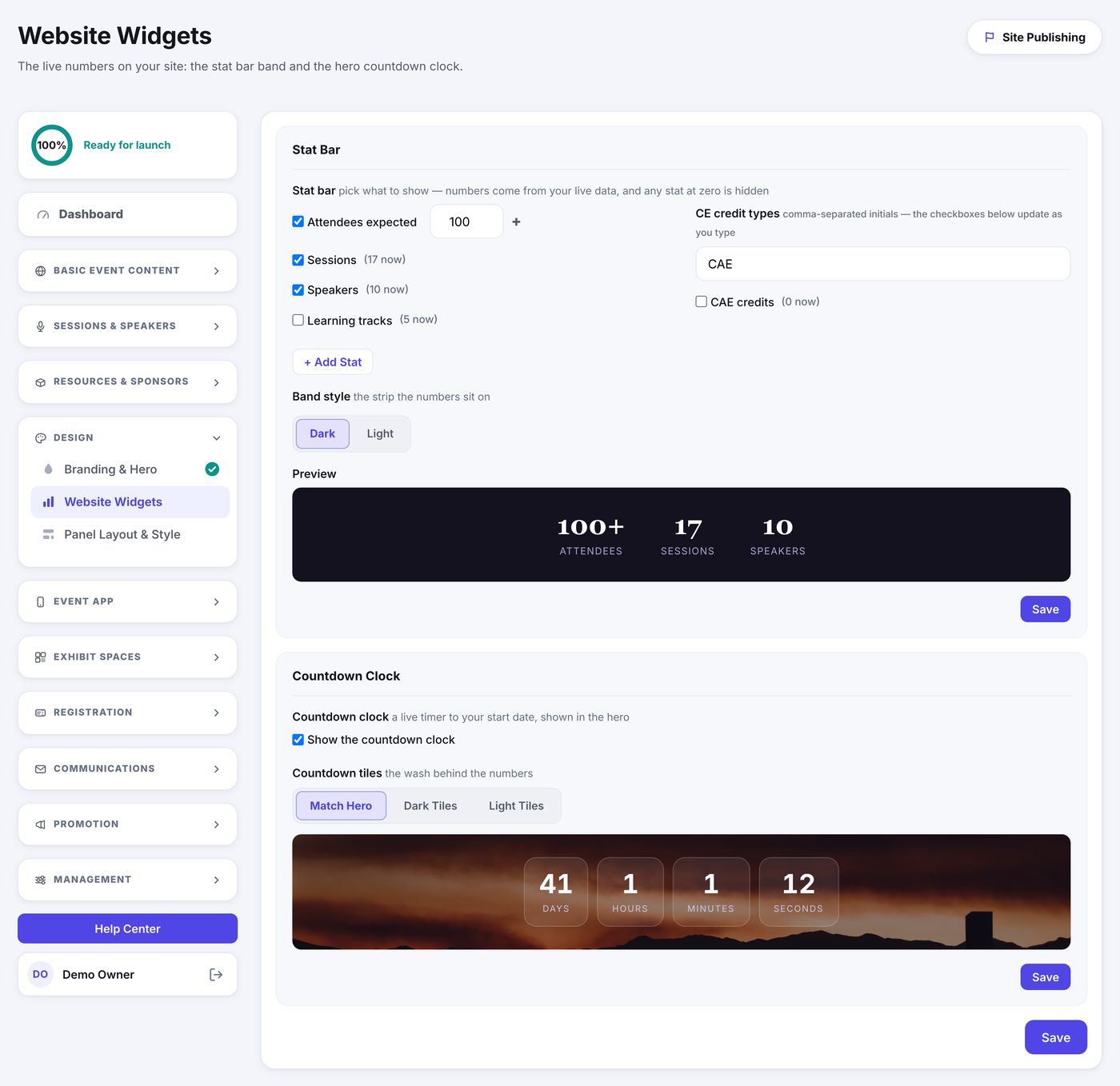
Tick what you want on the band. The numbers come from your live data, so the session and speaker counts are always right and you never have to remember to update them.
- Attendees expected is a number you type, shown with a plus after it.
- Sessions, Speakers and Learning tracks count what you have built. The current count sits beside each one so you know what will show.
- CE credit types lets you list your credit initials, comma separated, and tick which of them ride on the band. The totals add up the credits on your sessions.
- + Add Stat makes up your own: a short label and a number.
Choose a Dark or Light band to suit your hero, and the preview below shows the finished strip.
The countdown clock
The clock counts down to your start date in the hero. Turn it off if the date is a long way out, or if your hero image is busy enough already.
- Match Hero lets the tiles take their wash from your hero photo.
- Dark Tiles or Light Tiles force it, which is the fix when a photo makes the numbers hard to read.
The preview below shows the clock over your real hero image, so you can judge the contrast before you save.