
Registrant Types has its own page under Registration. Everyone who registers picks a type first, and the type decides two things: how that person gets in, and what registering costs them before they add anything optional.
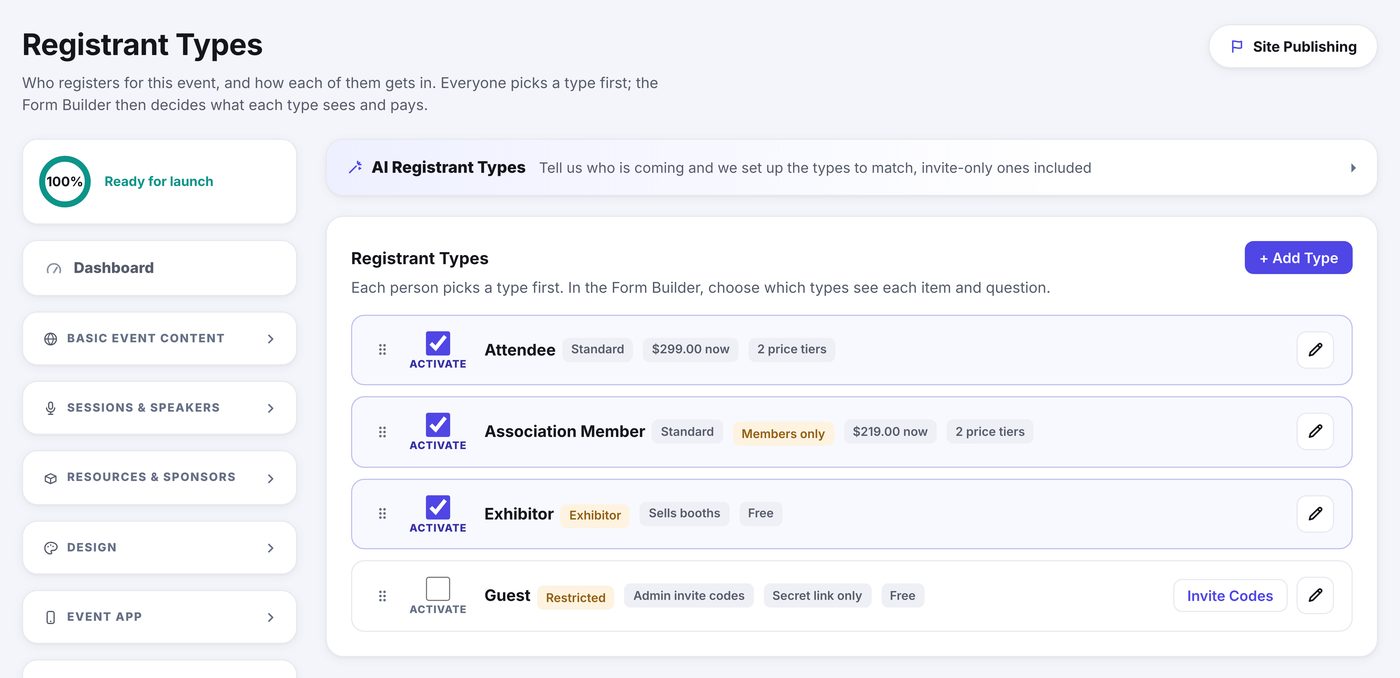
The Classifications
- Standard is open to anyone who reaches the form.
- Restricted needs a code. The code comes either from invite codes you mint and send, or from a shared passcode everyone types.
- Members only is a Standard type with a membership roster attached, covered in Member Lists.
Each row also carries an Activate checkbox. Switching a type off stops new sign-ups for it and leaves everything you built for it intact.
Portals
A registrant type grants no portal by itself. Portal access comes from what is bought: a Sponsorship item grants the Sponsor Portal and a booth grants the Exhibitor Portal. The one exception is a Speakers Only type: its registrants are already approved speakers, so their confirmation carries the Speaker Portal link. See Items & Form Fields and The Sponsor & Exhibitor Portal.
Price tiers: what it costs to register
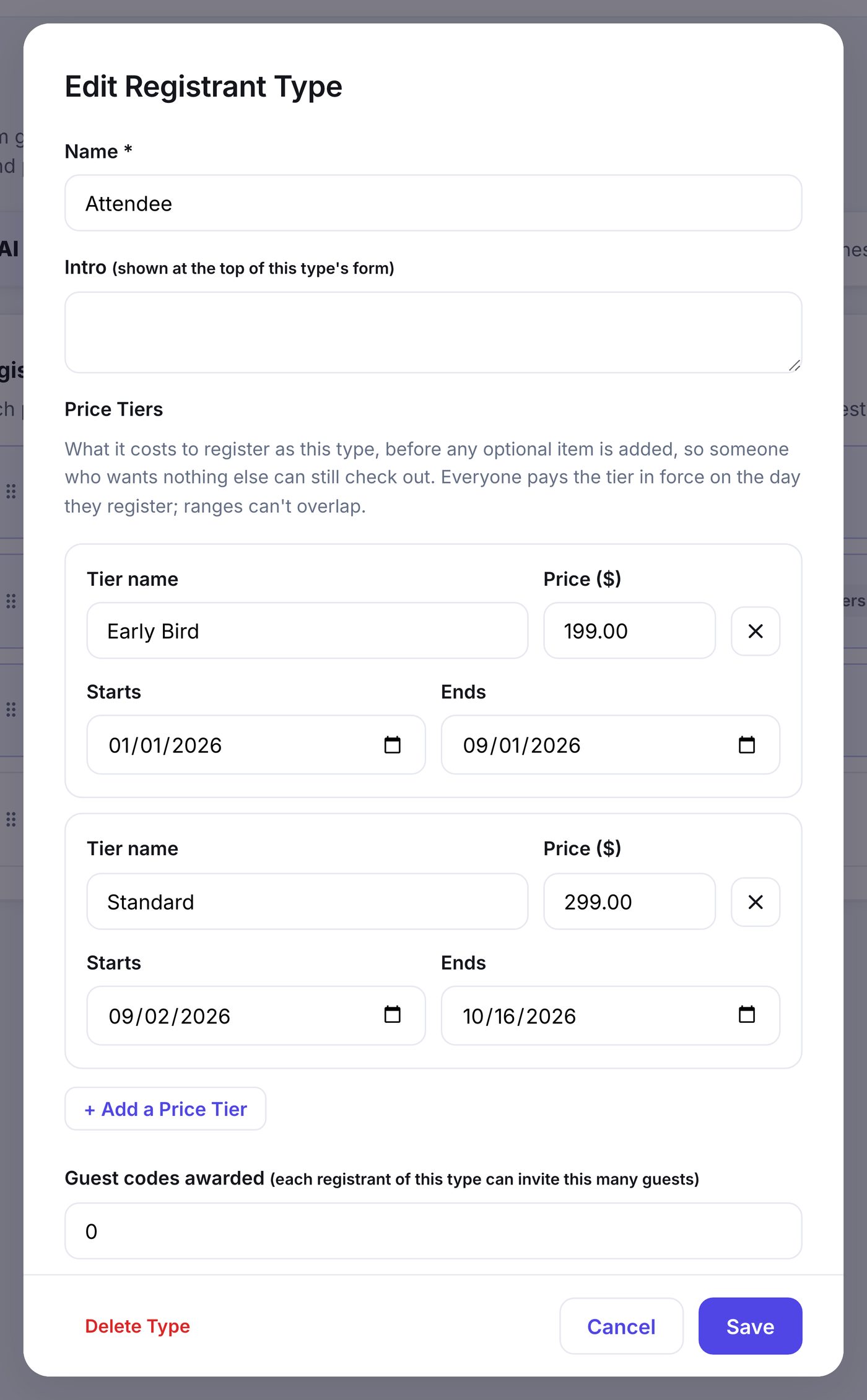
A type carries its own price, separate from the items on its form, so somebody who wants nothing optional still has something to pay. A price tier is a name, a price, and a date range: Early Bird at $199 through September 1, Standard at $299 from September 2. Everyone pays the tier in force on the day they register.
- Open Registration, then Registrant Types.
- Click the pencil on the type you want to price.
- Fill in the first tier: a name, the price, and the dates it runs between.
- Click + Add a Price Tier for the next one. A new tier starts the day after the last one ends.
- Save. The type's row now shows what it costs today.
- Every type has at least one tier. A free type is simply a tier priced at 0.
- Ranges cannot overlap. If two tiers cover the same day we name both and refuse the save.
- Gaps are allowed, and a gap is not free. A day covered by no tier makes the type unpriced, and an unpriced type is not offered at all. Its row reads No price today, which is where you find out why it stopped appearing.
- Leave a start or end date empty for no bound on that side.
- Dates are your event's own clock, and both ends count.
How a Free Price Reads
When a tier's price is 0, Show this price as appears beside it, and you choose the words registrants see: FREE (the standard), Blank (no price shown at all) or $0.00.
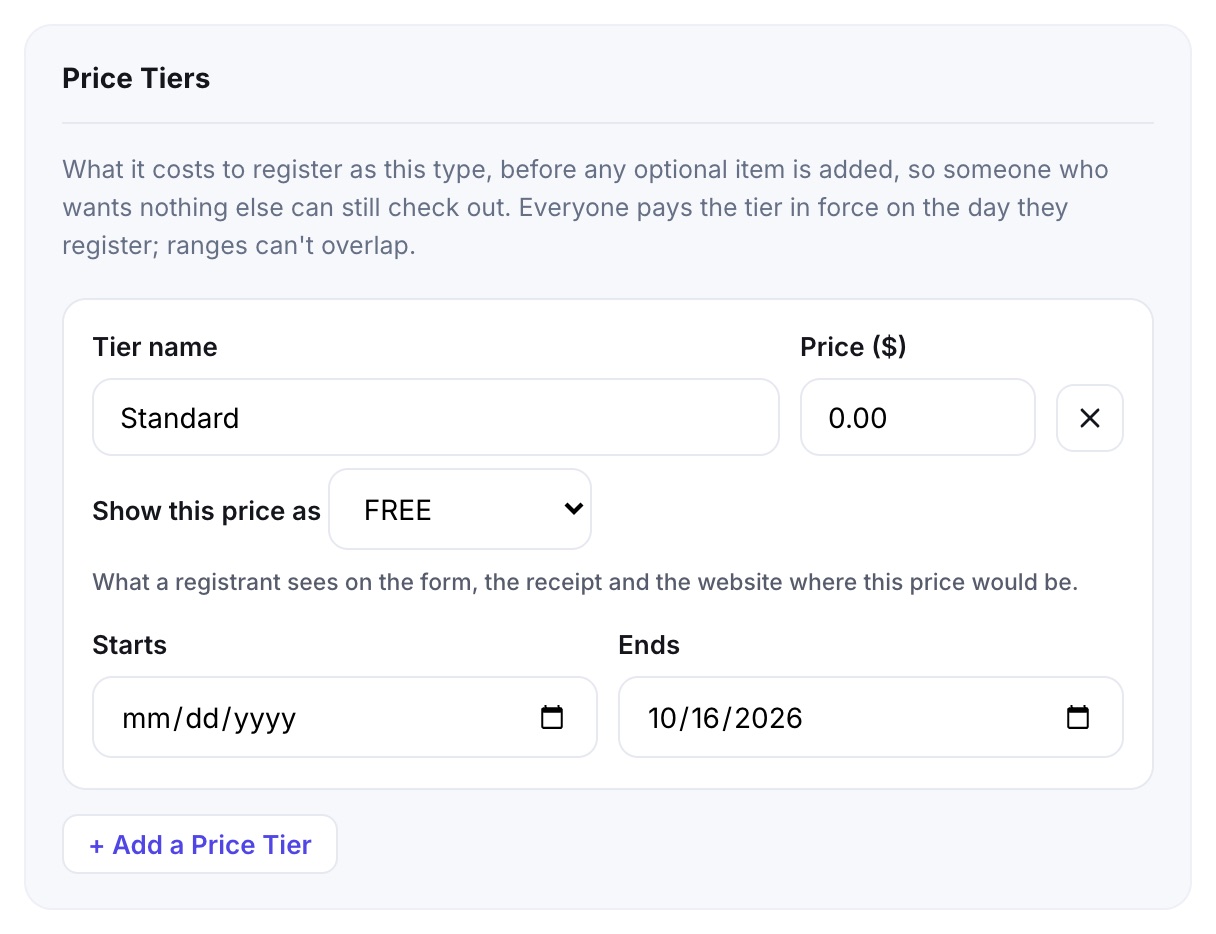
- It carries everywhere that price appears: the type picker and order summary on the form, the confirmation, modification and cancellation emails, the ticket, and your website's Pricing Panel.
- It is set per tier, and disappears the moment you type a real price.
- Free optional items still read Free, and an order's total still reads $0.00.