
A disclaimer is a box at the end of the registration form: a title, your text, and a checkbox the registrant must tick before they can register. Use one for a photo and media release, a liability waiver, a code of conduct or a cancellation policy. Each prints as its own box, so nobody agrees to five things with one tick.
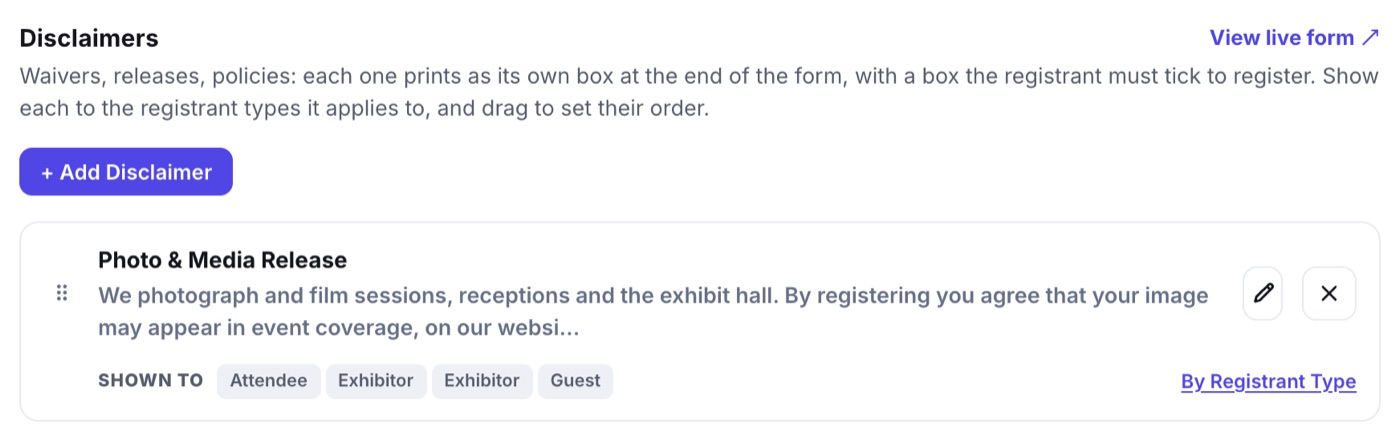
Adding One
- Open Registration › Form Builder and choose the Disclaimers step.
- Click + Add Disclaimer. The drawer lists your Disclaimer Library; click Add on one, or New Disclaimer to write one.
- Give it a Title (the heading of the box) and its Text. Paragraphs, headings, lists and callouts all work.
- Word the checkbox under Checkbox wording, or leave it empty for "I have read and agree to the above." The Live Preview shows the box exactly as the registrant sees it.
- Click Add to the Form.
Who Sees It
- A new disclaimer is shown to every registrant type. Click By Registrant Type on its row to narrow it: speakers might sign a recording release that attendees never see.
- Drag rows to set the order the boxes appear in.
- The X on a row takes it off this form only. It stays in your library for the next event.
What the Registrant Sees
On the last step, Review & Pay or Review & Finish, each disclaimer is its own box. Every box has to be ticked. Miss one and the form jumps to it and outlines it in red.
- Each order keeps the title, text and checkbox wording exactly as the registrant saw them, so a later edit never rewrites what somebody agreed to.
- Their confirmation email repeats what they agreed to, under Your Agreements.
- A modification, and a registration you enter yourself with Register Someone, show no boxes.
One Library for Every Event
Disclaimers belong to your account, not to one event, so you write your waiver once. A disclaimer used on another event wears a Shared chip, and the editor warns you that saving changes it there too. One somebody has already agreed to is never deleted: it leaves the library and stays on the orders that agreed to it.