
Open Hotel Rooming › Hotels and choose + New Hotel. Name it, add a note for attendees, and you land in the editor. Five cards, in build order.
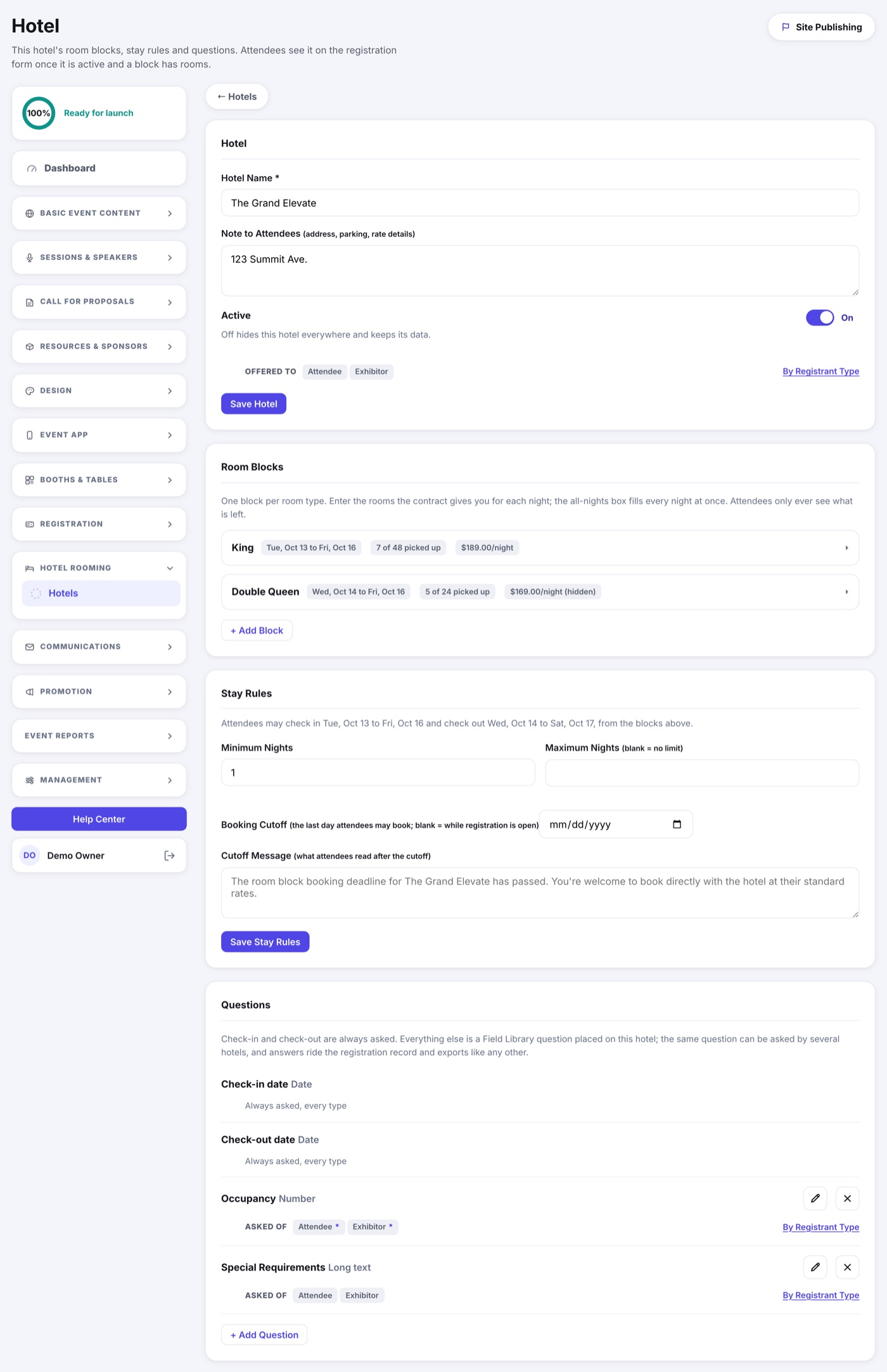
1. Hotel
- Name and Note to Attendees: the address, parking, what the rate includes. Anything the guest should read before picking a room.
- Active hides or shows the hotel everywhere without deleting anything.
- By Registrant Type decides who is offered this hotel. A new hotel is offered to every type; narrow it when a block belongs to exhibitors or staff only.
2. Room Blocks
One block per room type: King, Double Queen, Suite. Give it a first and last night, then the rooms you hold for each night. Expand a block and you get one box per night, with an all nights box that fills every one at once, plus the nightly rate and whether to show that rate to attendees.
- Each night carries its own count, because contracts rarely give you the same number every night.
- The row shows pickup as you go: 7 of 48 room nights picked up.
- Shrink a night below what is already booked and you get a warning, not a wall. Nothing that is booked is ever taken away from a guest.
3. Stay Rules
- Minimum and maximum nights, when your contract asks for them.
- Booking cutoff: the last day anyone may book. After it, the hotel still appears with your cutoff message telling them to book direct.
- Check-in and check-out windows are not fields. They are read off your blocks and shown under the card head, so the two can never disagree.
4. Questions
Check-in and check-out dates are always asked. Everything else is a Field Library question placed on this hotel: Occupancy and Special Requirements are set up for you, and you can add, remove or require any other question per registrant type. Answers ride the registration record and every export.
5. Question Logic
Conditional logic for this hotel's questions, without leaving the hotel. These are the same rules as the Form Builder's Rules tab, opened from here, so every rule is still listed in one place.
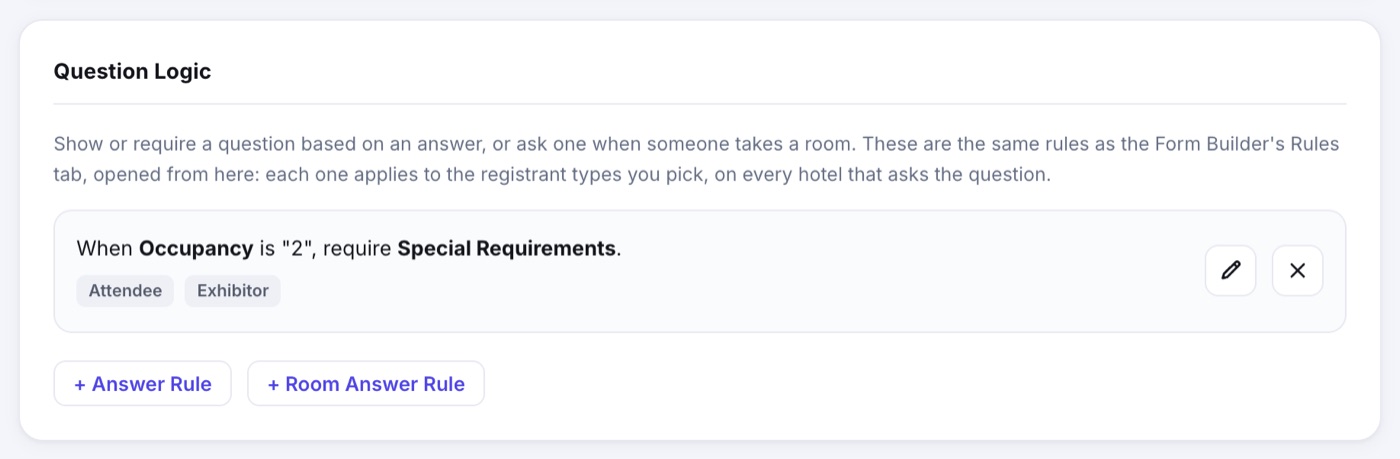
- + Answer Rule: an answer to one question shows or requires another. It opens set to this hotel's questions; pick All in the menu if the rule needs a question from elsewhere on the form.
- + Room Answer Rule: ask a question when someone says Yes (or No) to needing a room. It is greyed out until the hotel is offered to at least one registrant type.
- The pencil edits a rule and the X deletes it, everywhere at once.
- A rule applies to the registrant types you pick, on every hotel that asks the question. Occupancy is usually shared by all your hotels, so a rule written here reaches them all.