
Once a hotel is active with rooms in a block, a Hotel Room step appears on the registration form for every type the hotel is offered to.
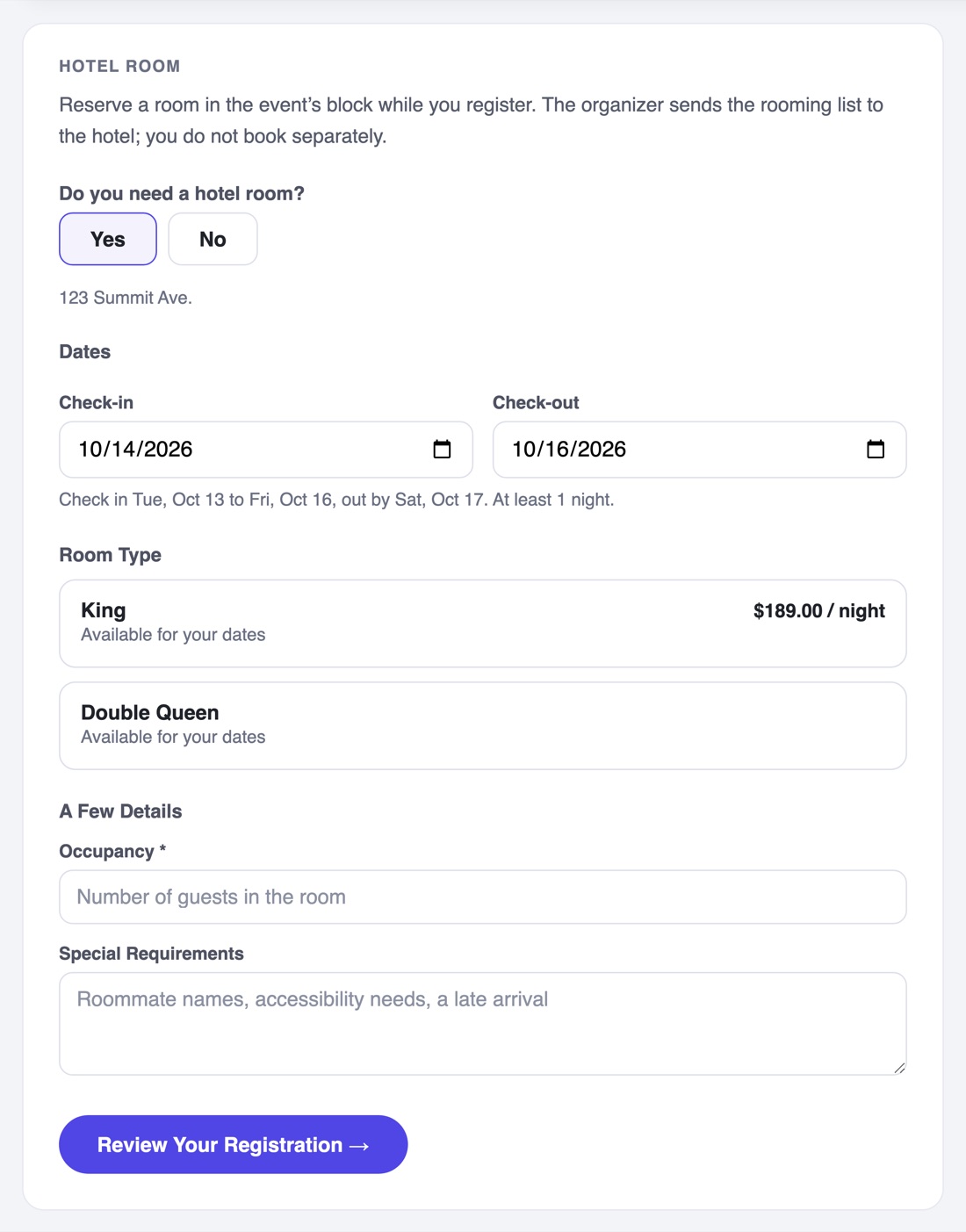
- Do you need a hotel room? Answering No collapses the rest of the step and sends them straight on. Someone who is driving in sees one question.
- Hotel, when you offer more than one. A hotel past its cutoff shows your message and cannot be picked.
- Check-in and check-out dates, limited to the nights your blocks actually cover and prefilled with your event dates.
- Room type: one tile per block, with the rate if you chose to show it and what is left for the nights they picked. A block that is sold out on one of those nights says so and cannot be chosen.
- Your questions: occupancy, special requirements, anything else you placed on the hotel.
After they submit
- The nights are claimed at the moment they submit, so two people cannot take the same last room.
- Their receipt carries a Your Hotel Reservation block with the hotel, room type, dates and nights, and one line telling them you send the rooming list so they do not book again themselves.
- The same block appears on their ticket and on their modify link.
- Nothing is added to the order total.