
Rooms move around right up to the last week. Both you and the attendee can change a booking, and the rooming list always reflects the current state.
The attendee changes it themselves
The modify link on their receipt can change their dates or room type, or drop the room altogether, up until the hotel's booking cutoff. A change that would over-book a night is refused with the reason and their existing booking is left untouched.
You change it for them
- Open the registration from the Dashboard and go to the Lodging pane.
- Change the hotel, room type or dates, edit their answers, add a booking to a registration that has none, or remove one.
- You are warned, not blocked. Past the cutoff, under the minimum nights, or one room over on a Thursday, it tells you and still lets you save. Only a night no block covers is refused, because that room does not exist to give.
- Every change moves pickup immediately, so the reports and what attendees see stay in step.
The rooming list
Reports › Attendee Reports carries the Lodging / Rooming List. Per hotel: a pickup table showing every night against every room type with what remains, then the list itself, one line per booked registration with dates, nights, room type, occupancy, contact and notes.
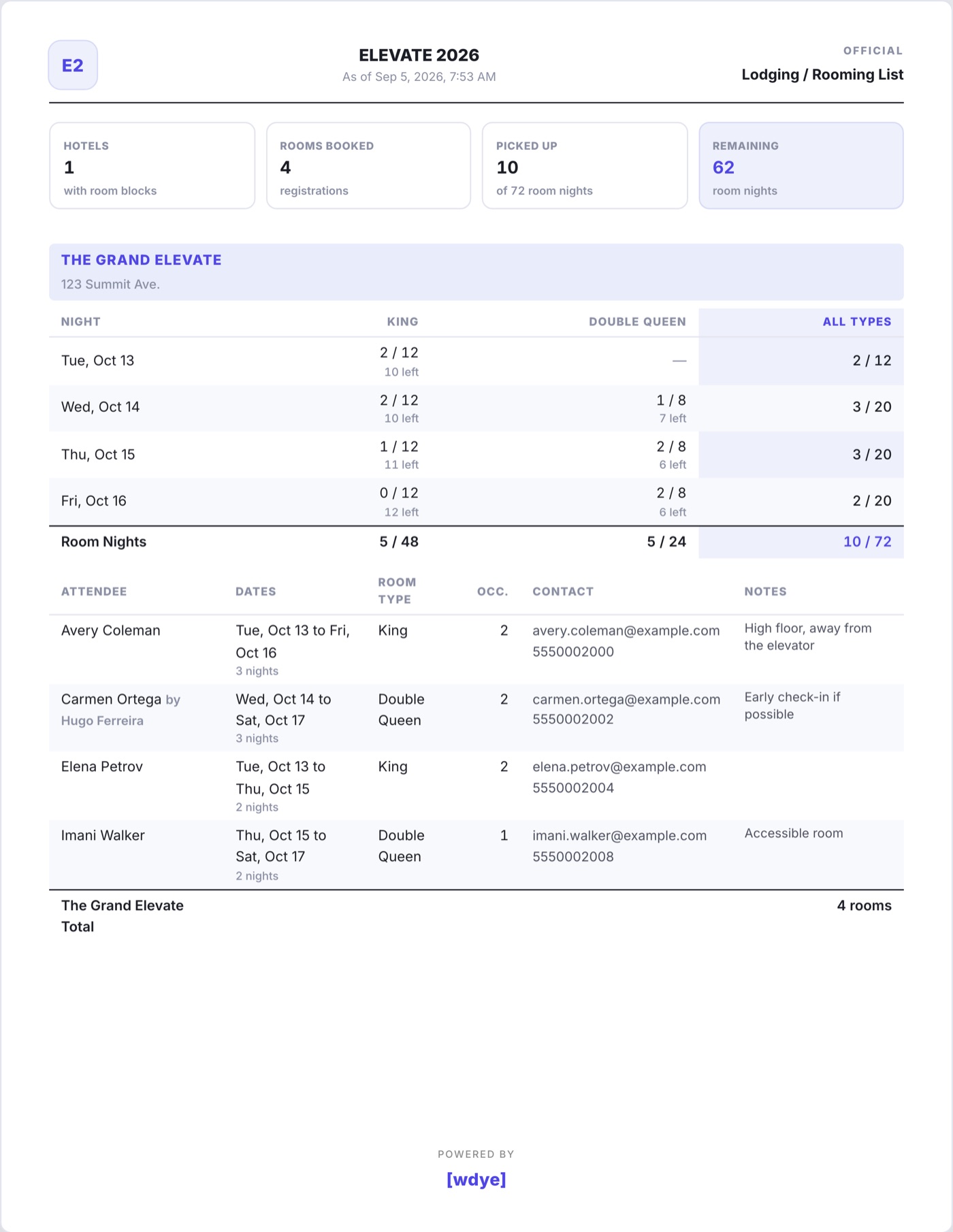
- Print it, or save it as a PDF, to send to your hotel contact.
- Lodging (.csv) and Lodging (.xlsx) give you the same rows as a spreadsheet, one line per booked room, rate included.
- The Custom Report Builder has a Lodging column group and a By Hotel filter, so "everyone staying at the Grand" is a list you can build and mail.