
Open Event App › App Networking › App Registration, just below QR Contact Scan. It decides what the app asks of each attendee the first time they open it. There are two asks, each with its own switch, and the preview beside them is the real app.
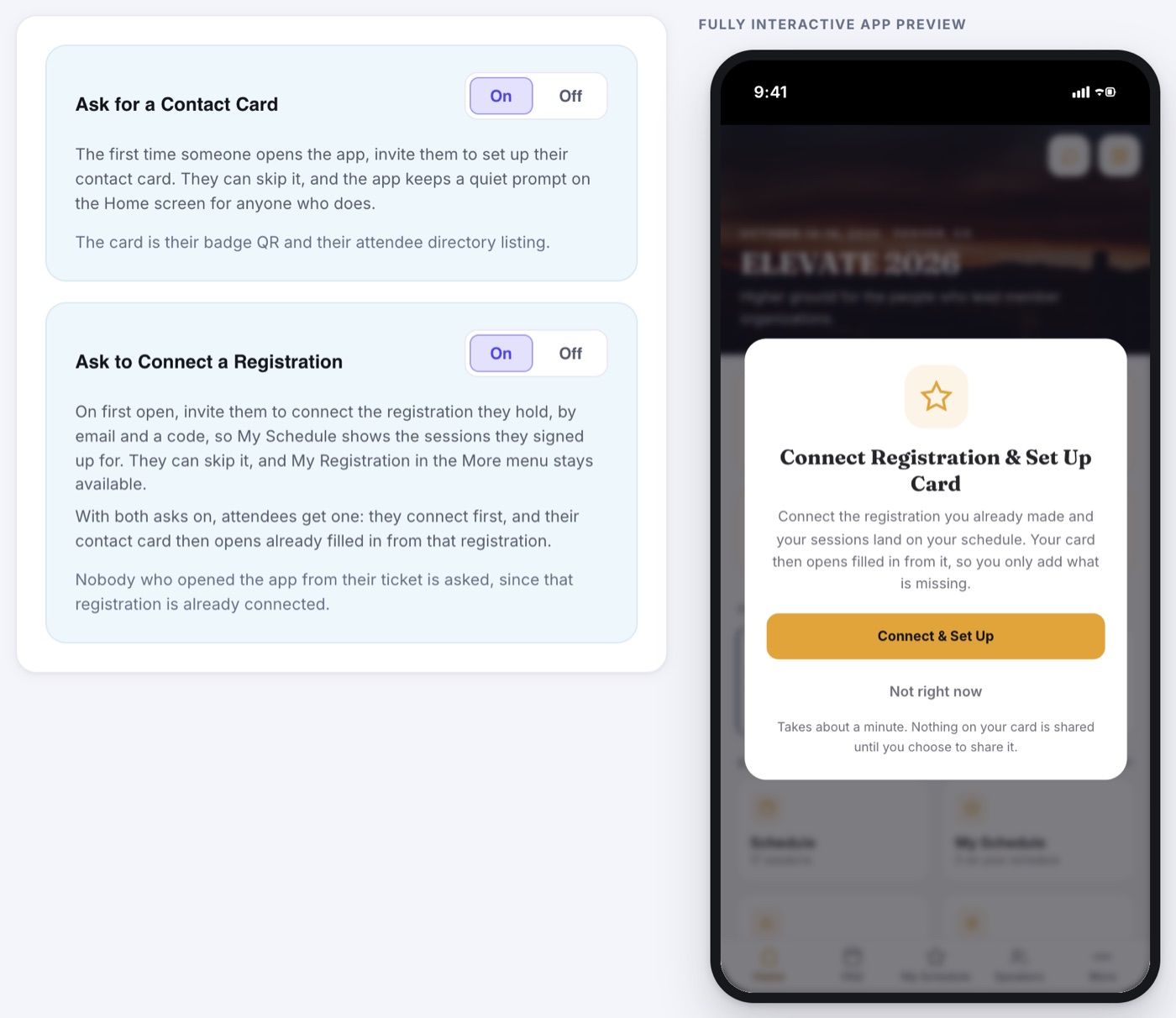
Ask for a Contact Card
One card does two jobs: it lists the attendee in the directory so people can message them, and it becomes the QR badge others scan to save their contact.
- On: the first time someone opens the app they are invited to set up their card. They can skip it, and a quiet prompt stays on the Home screen for anyone who does.
- Off: nobody is asked. People can still set a card up from the app whenever they want.
- Nothing is asked while both QR Contact Scan and the Attendee Directory are off, since there is no card to set up.
Ask to Connect a Registration
Connecting tells the app which registration is theirs, so My Schedule shows the sessions they signed up for. They enter the email they registered with and a code we send to it.
- Nobody who opened the app from their ticket link is asked: that registration is already connected.
- It is only asked when connecting would change something, such as sessions on your form or sessions you assigned. Otherwise the switch stays quiet on its own.
- Anyone who skips can connect later from My Schedule, or from My Registration in the More menu.
With Both On, Attendees Get One Ask
When both switches are on, the app does not stack two invitations. It asks once, Connect Registration & Set Up Card, and walks through both in order:
- They tap Connect & Set Up.
- They enter the email they registered with and the code from their inbox. The sheet says Step 1 of 2.
- Their card opens already filled in from that registration: name, email, mobile, and company when your registration form asks for it.
- They add anything missing and tap Create My Badge. Nothing is typed twice.
- Not registered, or no code arrives? Skip this, just set up my card sits under both connect steps.
- If they tap Not right now, the Home screen keeps one quiet prompt for the same combined errand.
When to Leave Them On
Leave the card ask on for any event where attendees are meant to meet each other. The directory and QR Contact Scan both depend on people having a card, and the first open is the one moment you have their attention. Leave the connect ask on whenever sessions ride the registration, or My Schedule will look empty to the people who signed up for them.