
A booth category is a class of space: Premium, Standard, Corner, Endcap, whatever your floor calls for. The category colors the map, and every booth drawn in it starts with the category's defaults: price, size, and how worker passes work.
The categories sit on the right side of the map editor. Click Categories in the toolbar to bring them back any time the right side is showing something else, like the booth you just clicked. Color, name and price edit right there; the pencil opens the size and worker passes.
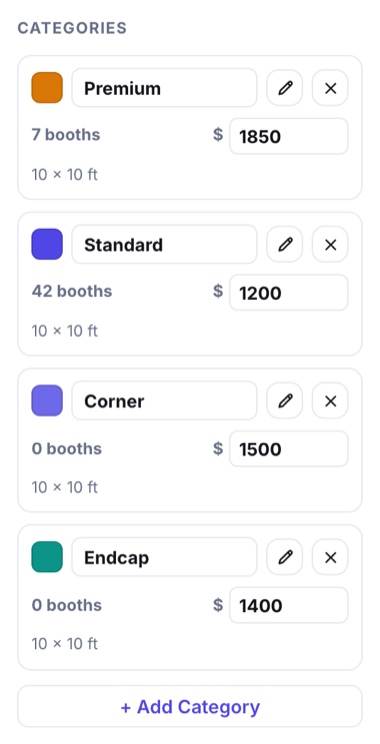
- Default price and size prefill each new booth. You can still override any single booth on the map.
- Worker passes set how many booth workers come free with a booth in this category, and what each extra pass costs.
- Limit Per Registrant caps how many booths in this category one registration can take, say one Premium booth each. 0 means no limit. On the form the legend shows the cap, and a pick past it is refused with a note; an admin registration can go past it.
- Which categories a buyer may pick from is set on the item that opens the map, under its Floor Map Access. A category left unticked there is simply absent from that buyer's map.