
Click Site Publishing at the top right of any page, beside your site's address. The Site Status card walks your site through four steps: Intake, Building, Review and Live. Until Live, visitors see a coming-soon page or, in Review, a private site.
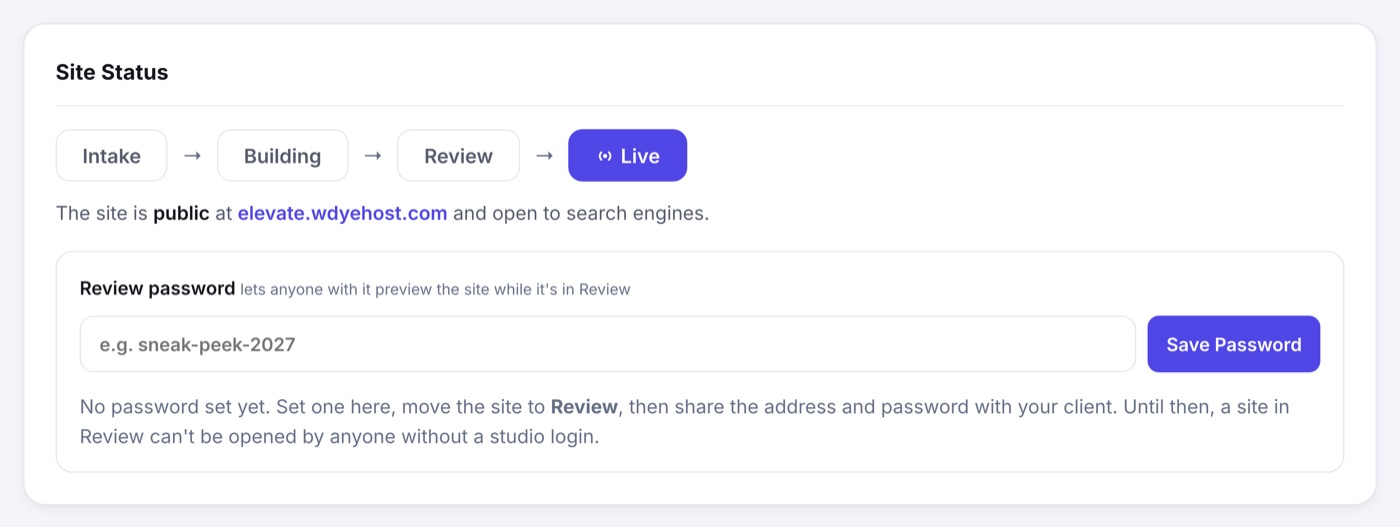
Going Live
- Finish the required sections. Until then the page lists what is left and the Live step stays locked. Check My Setup shows the same list.
- Click Live. If the event is not on a paid plan yet, you are offered one; buying takes the site live in the same step.
- Your site is now public at your event address, and open to search engines.
Sharing a Private Preview First
While the site is in Review, a Review password lets anyone you give it to open the site without a studio login. It is shown in plain text, so you can read it back and pass it along whenever you like.
- Set a review password on Site Publishing and click Save Password.
- Move the site to Review.
- Send your client the site address and the password.